I currently work on Windows, where our team focuses on making your PC experience more powerful and delightful with AI, while also scaling new tooling across the studio.
I'm a self-taught designer with an engineering background, specializing in simple and effortless experiences for both the devices we use today and the ones we'll use in the future. Crafting high-quality products that people love to use is my passion, and I work tirelessly to achieve that goal.
Using the medium of motion and rapid prototyping I bring these experiences to life, visualizing the smallest interactions to entire user journeys. I strongly believe in open design, and encourage co-creation that can help deliver a better solution for users.
Accessibility and inclusion sit at the center of my process — technology should empower everyone and nobody should be left with a subpar experience.
I'm currently a Senior Designer at Microsoft, where I currently work on Windows AI.
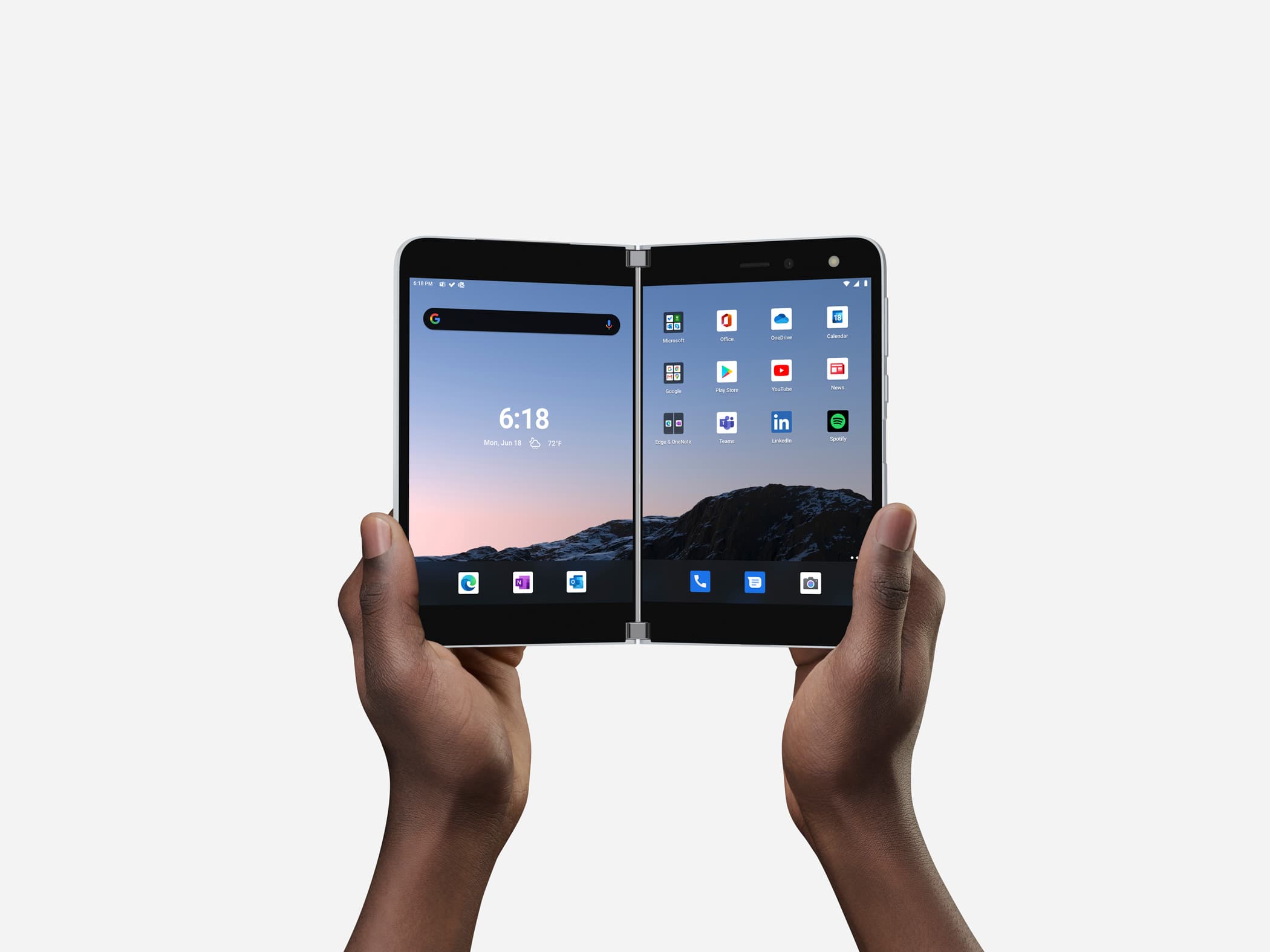
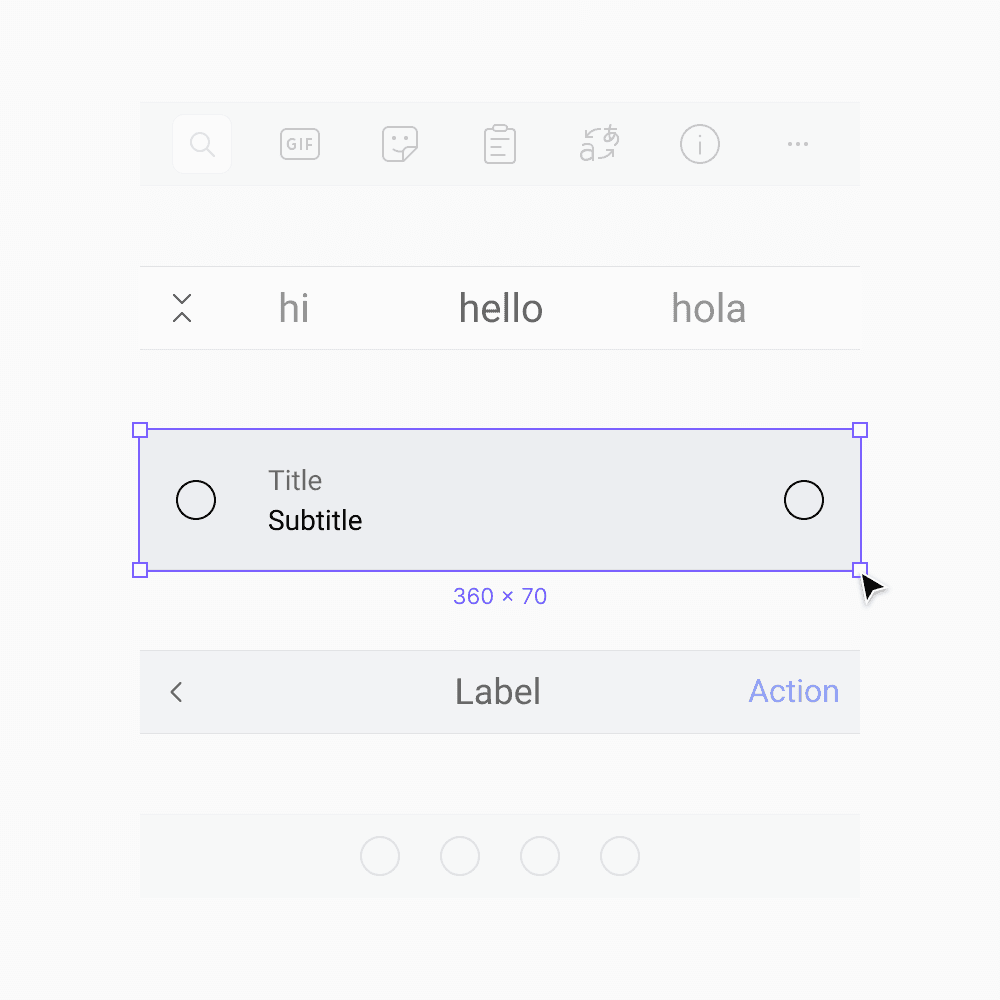
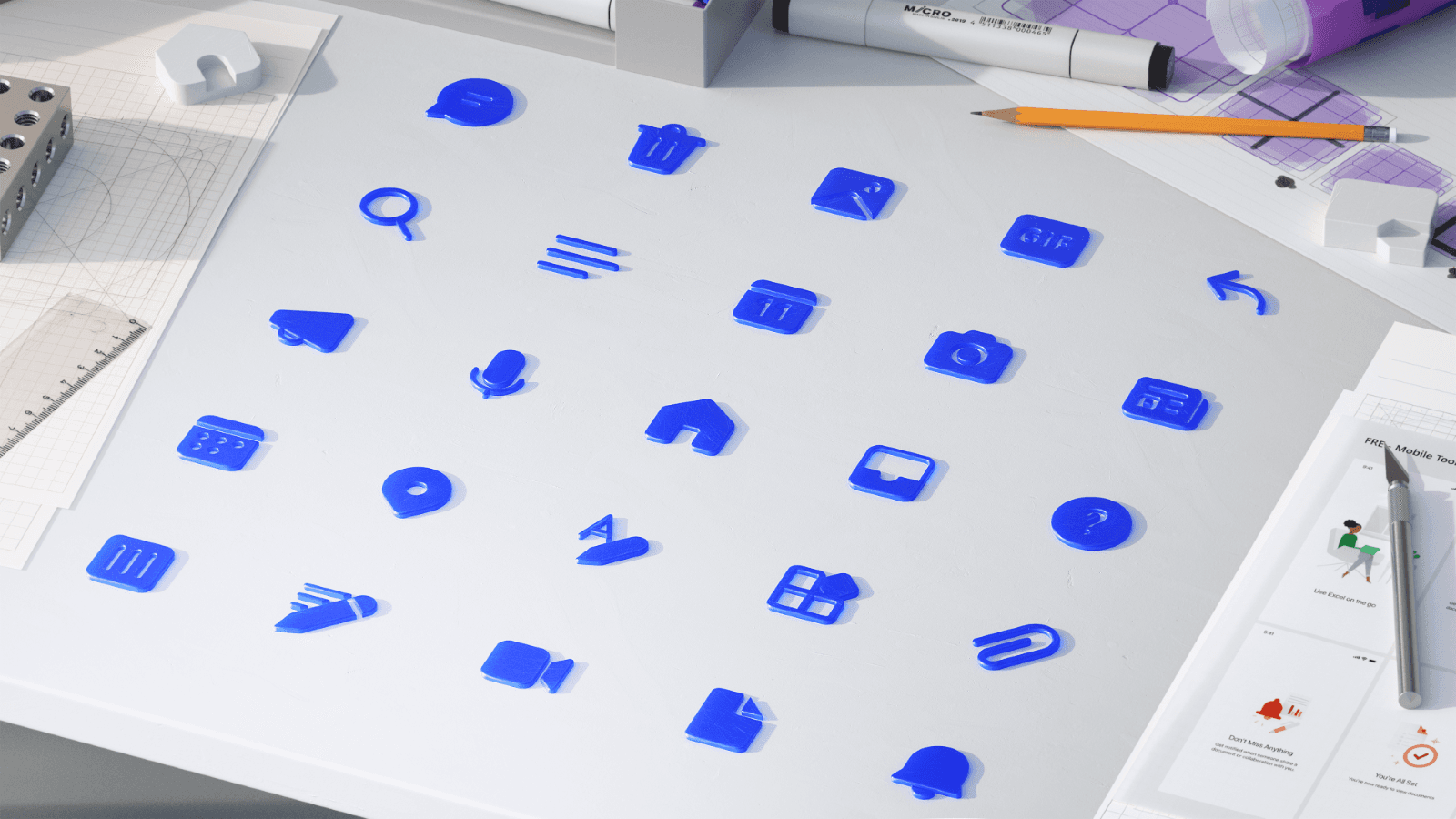
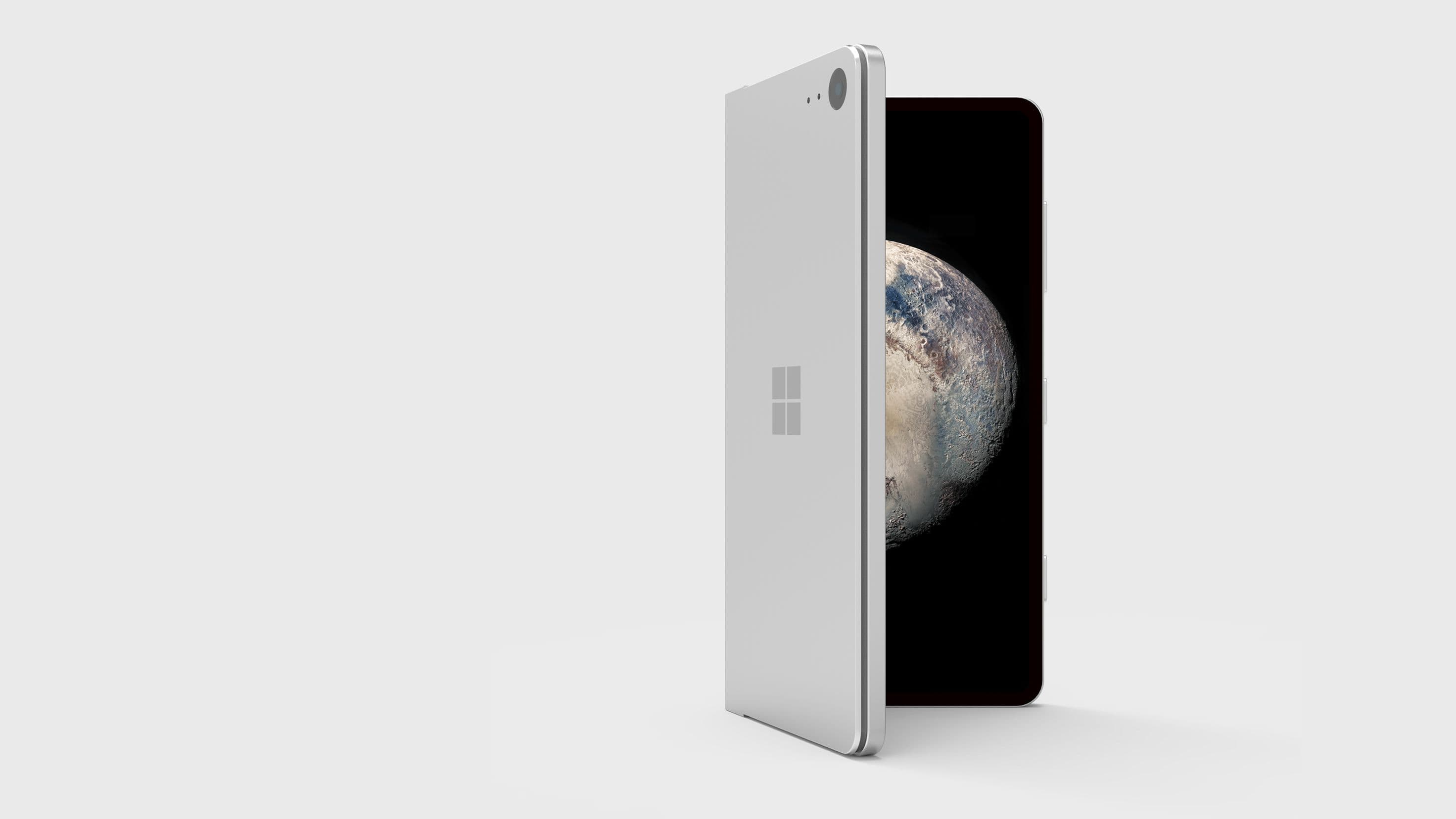
Previously a Design Intern at Microsoft, where I was involved with products used by millions of people around the world. Check them out: Surface Duo, SwiftKey, Fluent Icons. Before that, I worked independently on critically acclaimed concepts both by myself and friends.
BSc Computer Science graduate — First Class Honours.
Awarded 2018-19 Microsoft MVP (Most Valuable Professional) for Windows Design.
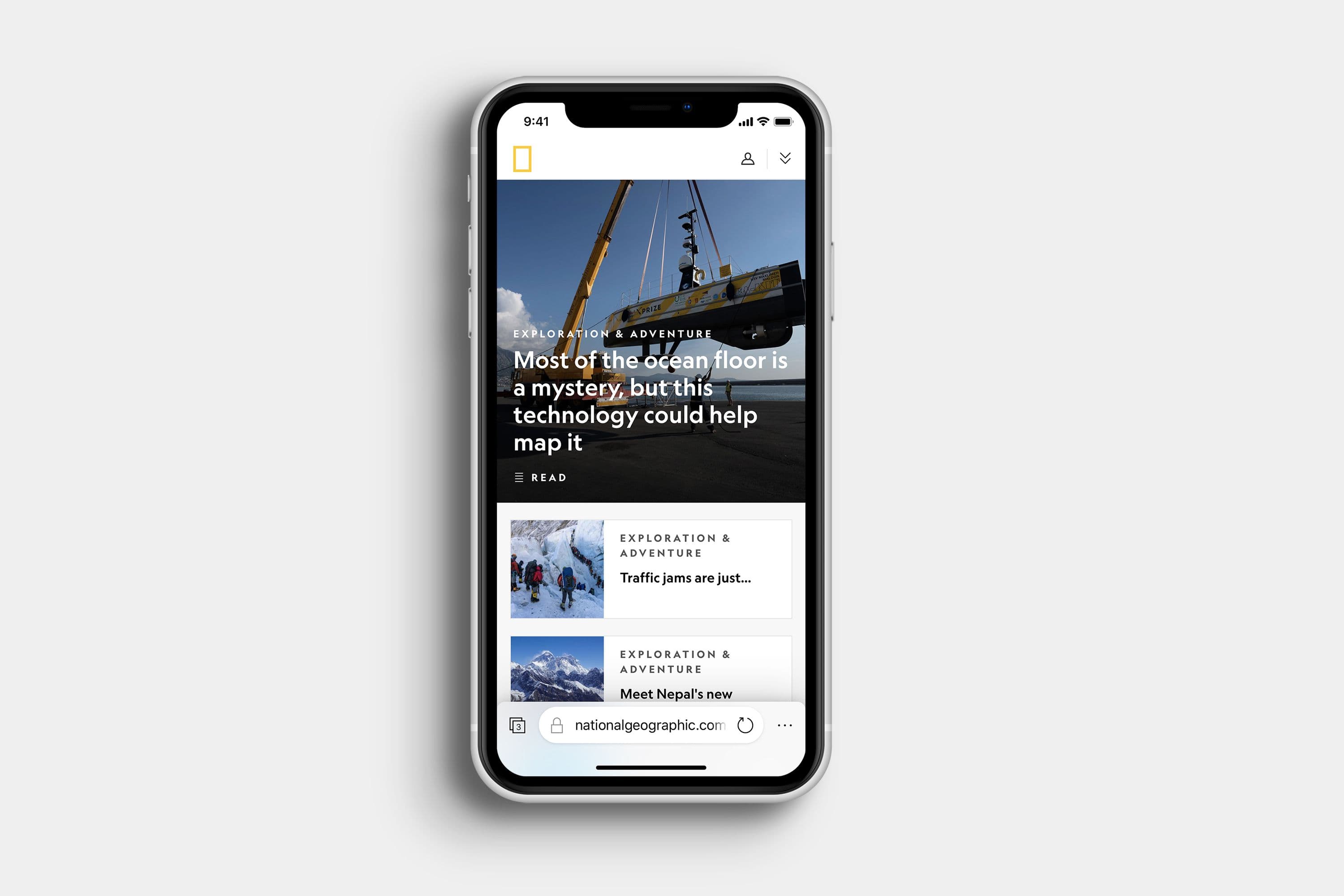
One-handed navigation and feature parity with Edge on desktop.
Not affiliated with Microsoft
Microsoft Edge for iOS redesign isn't affiliated with Microsoft. Concepts and mockups shown do not represent any product plans past, present, or future.
2019
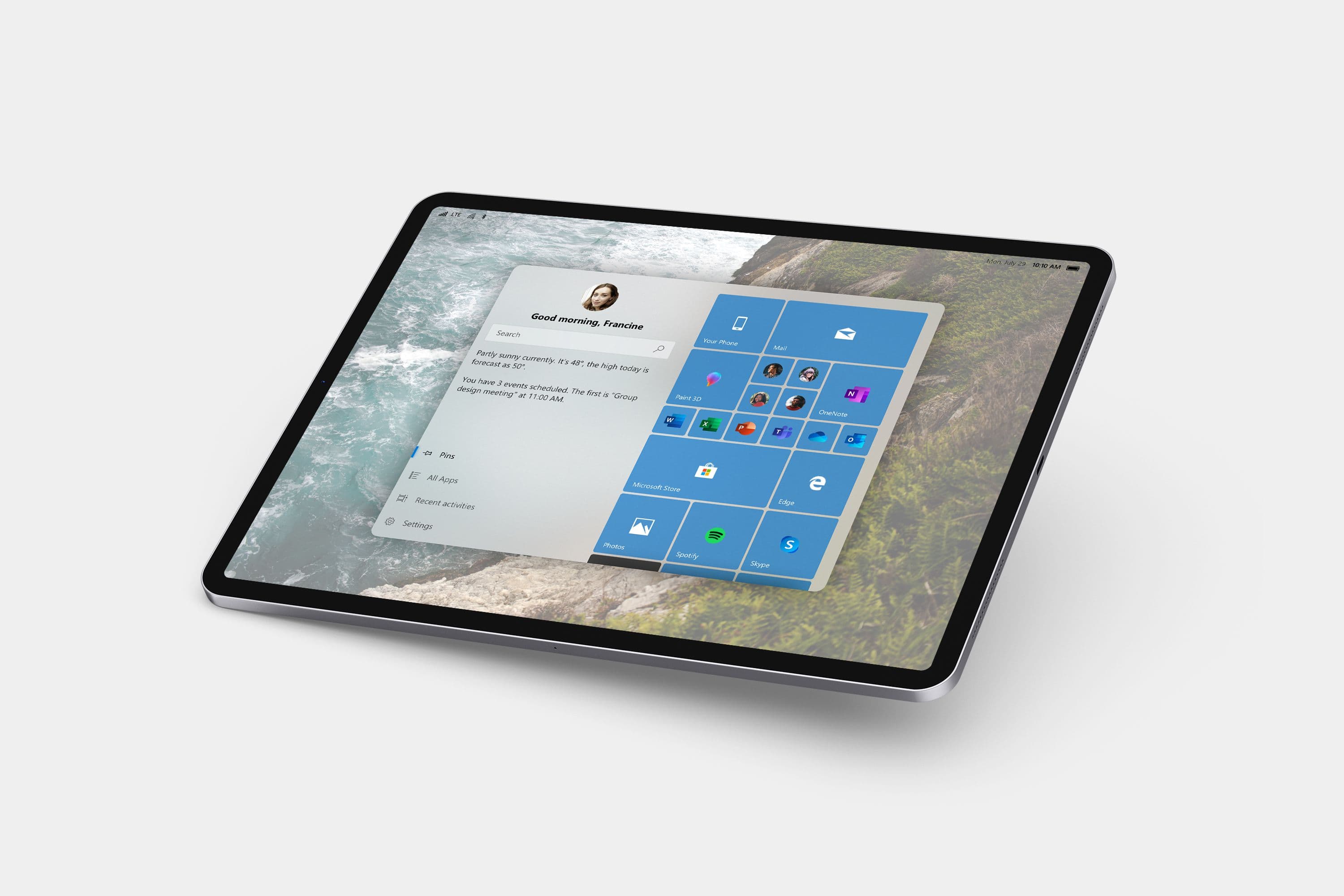
Cortana OS
A gestural, assistant-first alternative to what Windows Lite could be.
Not affiliated with Microsoft
Cortana OS isn't affiliated with Microsoft. Concepts and mockups shown do not represent any product plans past, present, or future.
2018
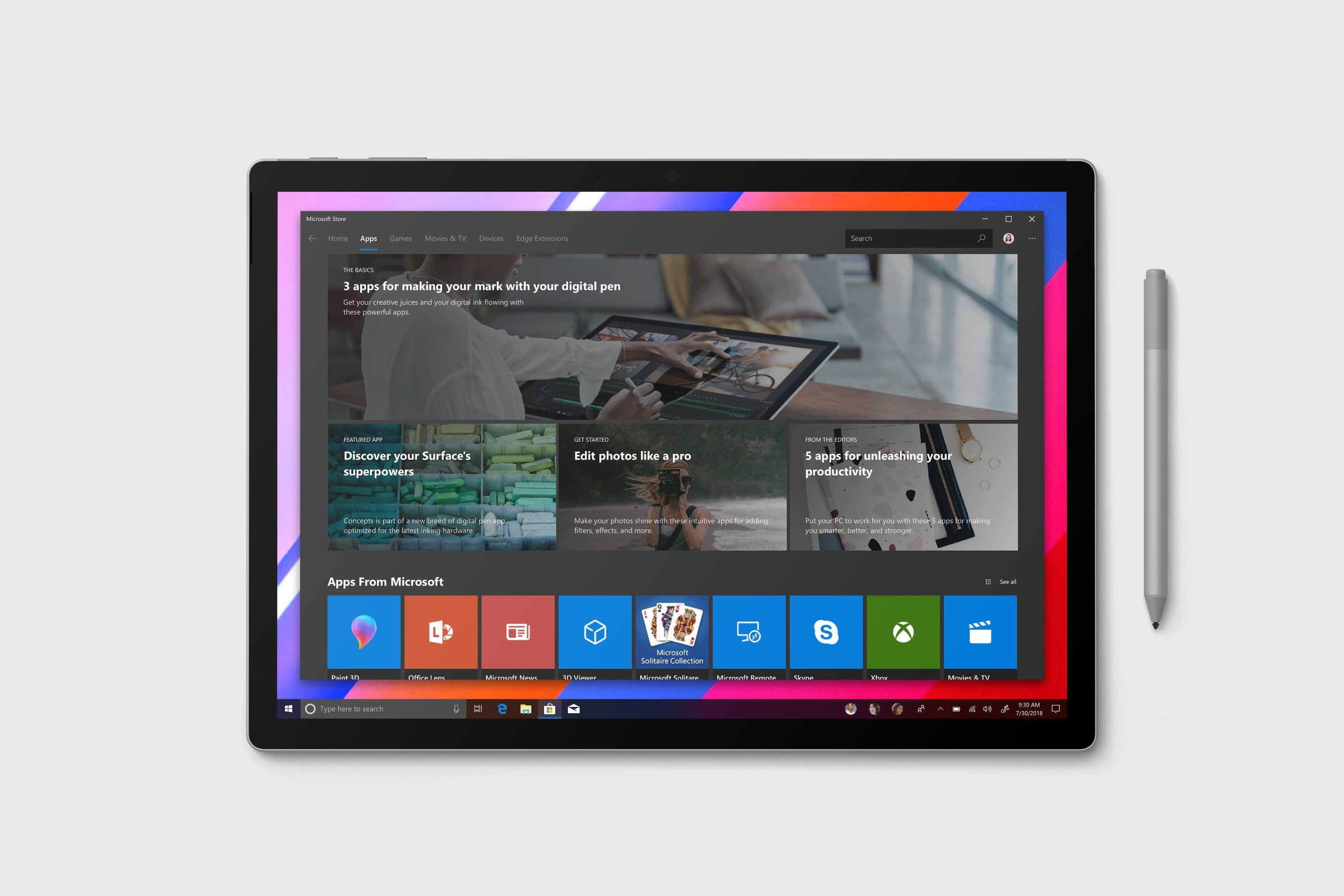
Microsoft Store Content
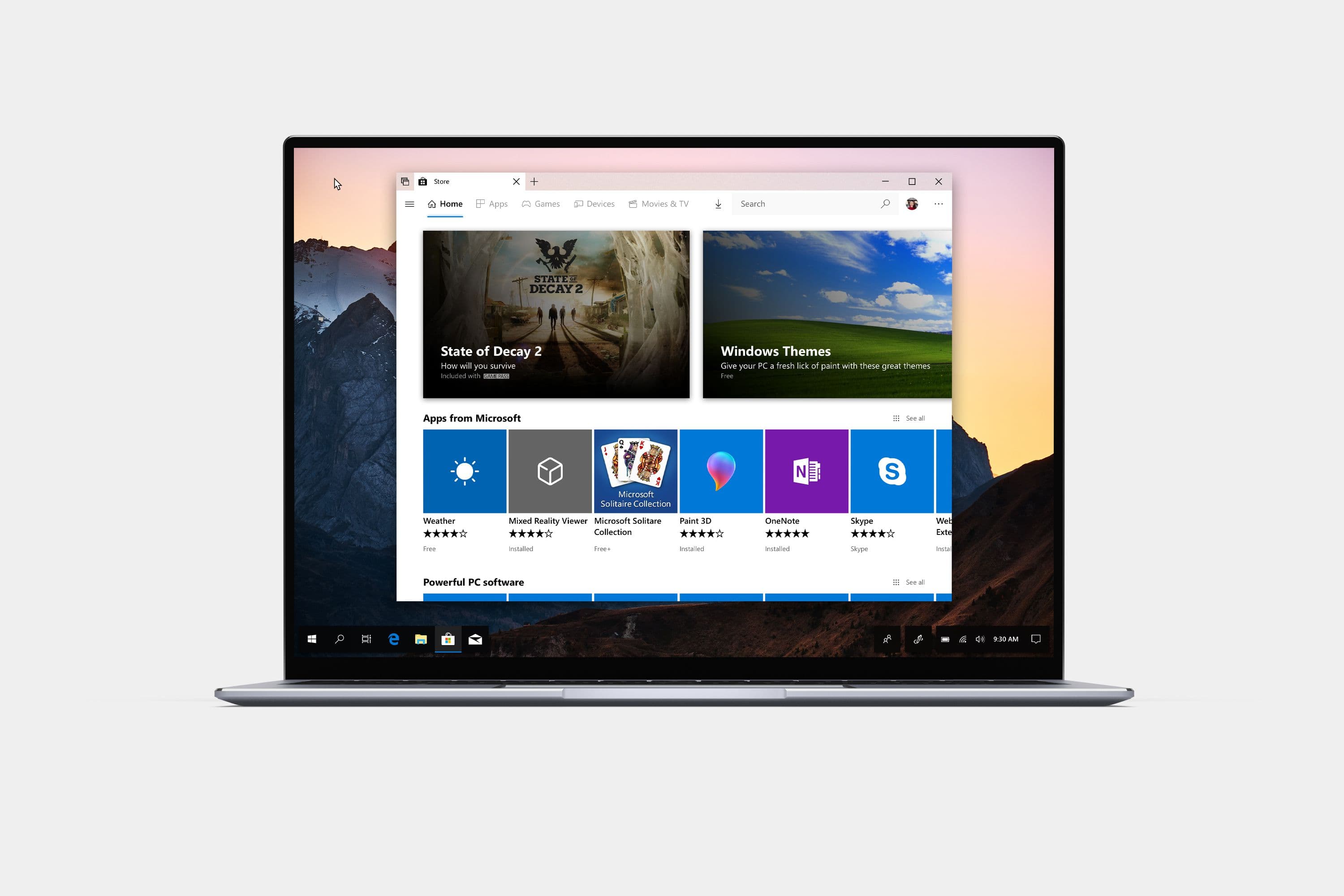
Reimagining the Microsoft Store with a new featured apps layout and improved editorial content.
Feature completeness and tighter integration with the Windows surfaces around it.
Not affiliated with Microsoft
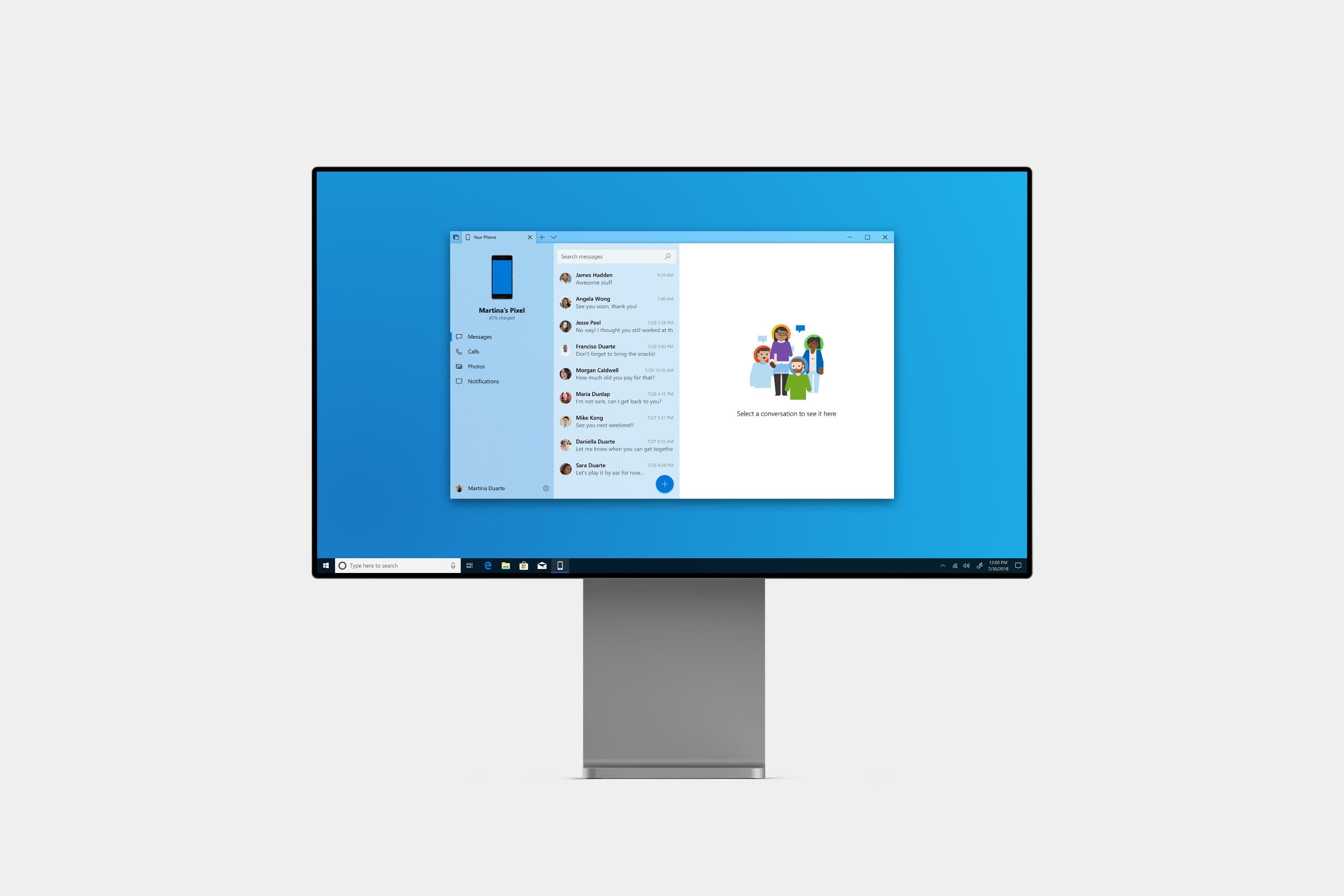
Your Phone redesign isn't affiliated with Microsoft. Concepts and mockups shown do not represent any product plans past, present, or future.
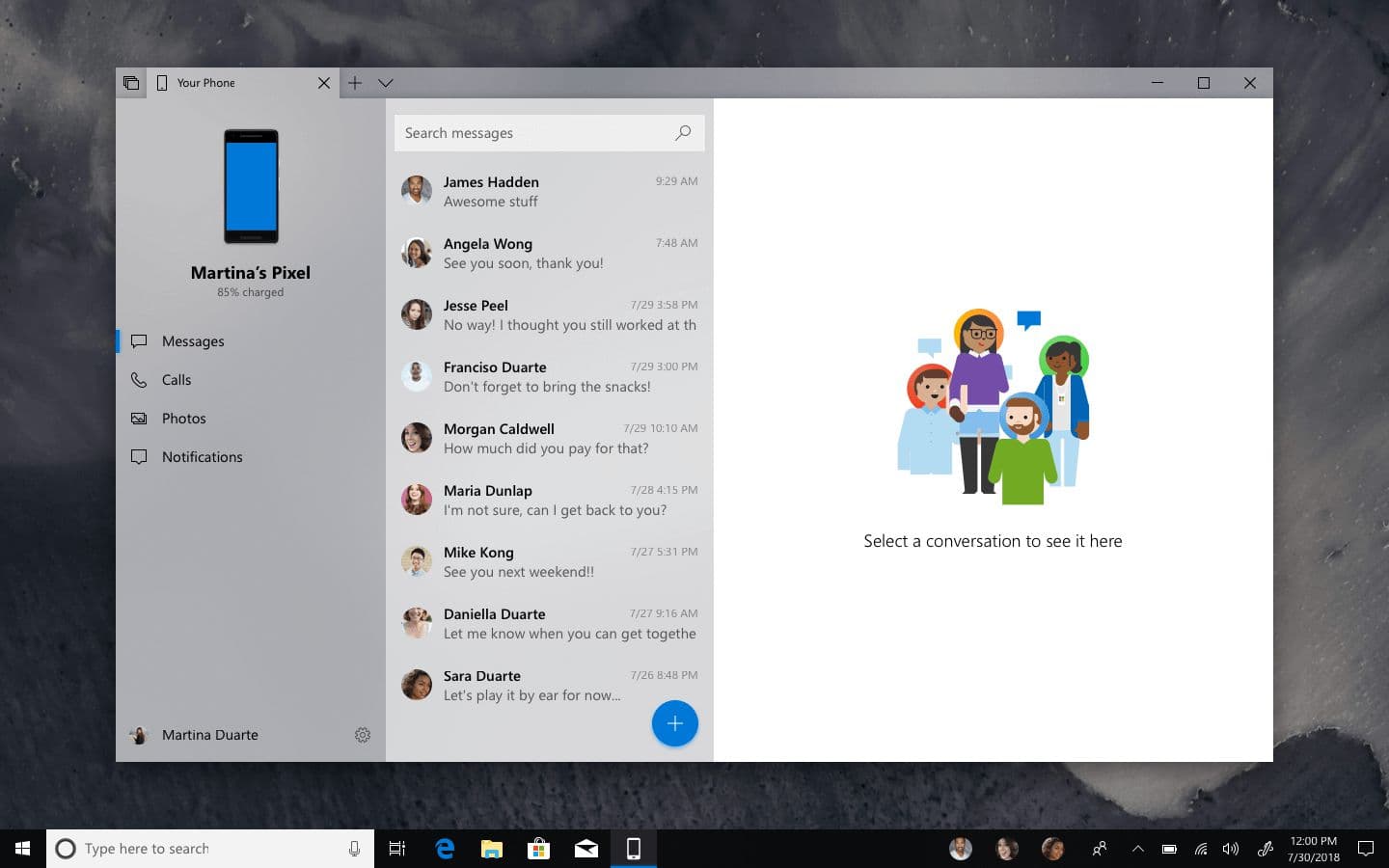
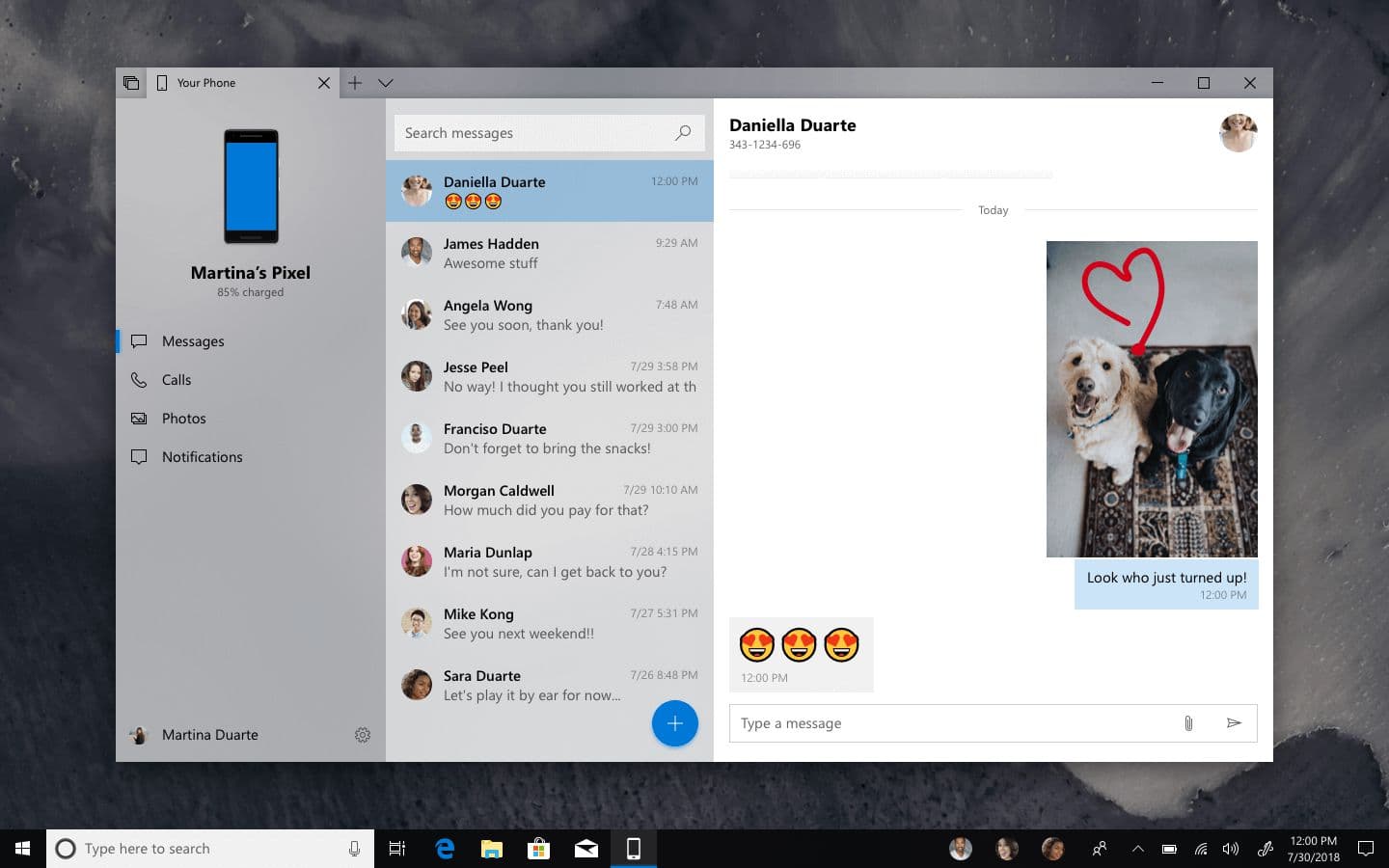
Your Phone ships with the Windows 10 October 2018 update: a new way to access phone messages and photos from the PC. Messages and photos is a strong floor and this concept explores the ceiling.
This concept proposes a version of Your Phone that goes further on feature completeness and pulls the app into the Windows surfaces it's already adjacent to such as MyPeople, Windows Ink, and Bing. These are what would make Your Phone feel like a truly integrated Windows experience rather than a phone mirror.
Messages
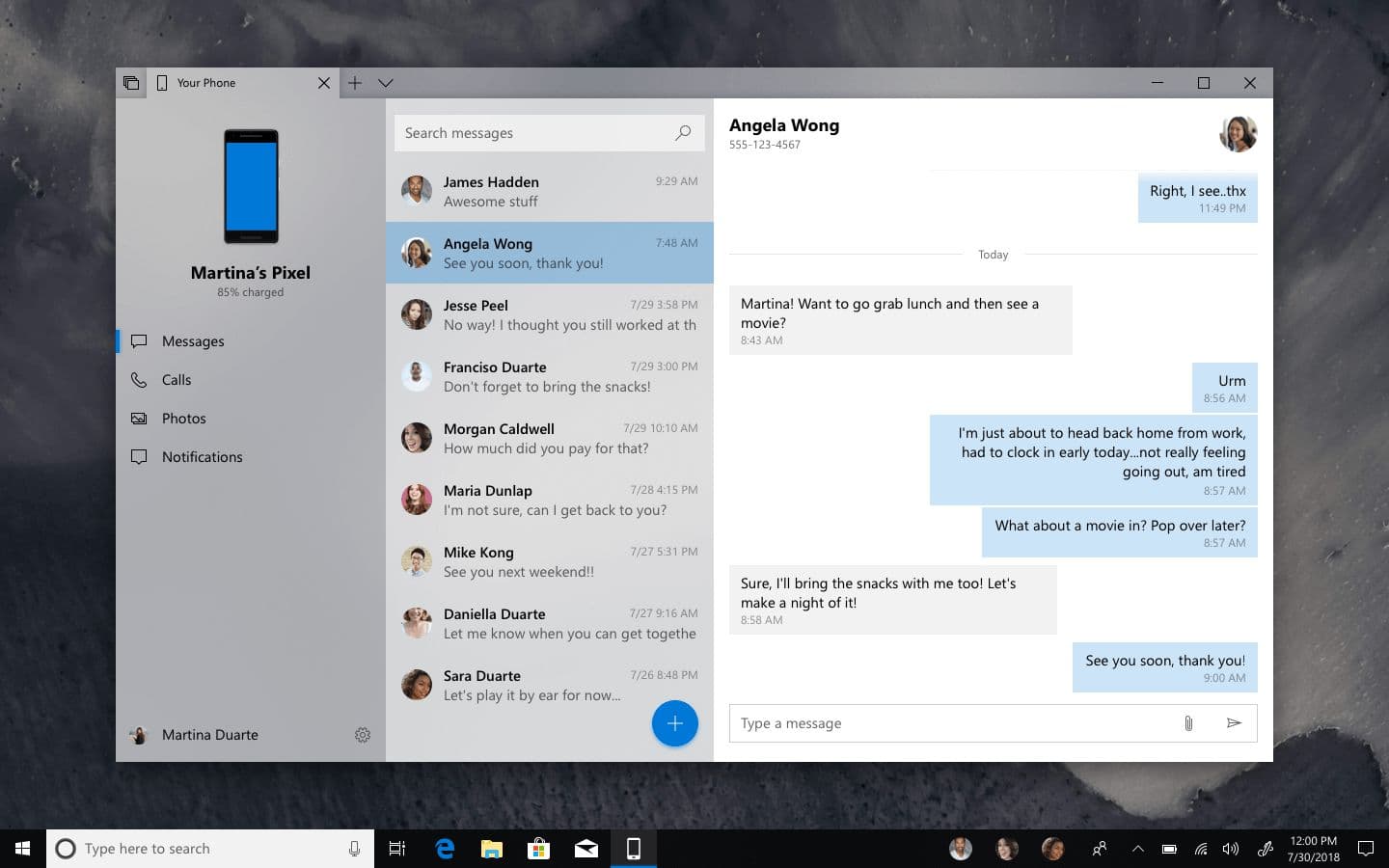
The messaging surface that ships works well. The redesign here is mostly a Fluent refresh with Acrylic material on the message list, a tightened conversation view, the kind of subtle reorganization that catches the app up to where the rest of Windows 10 is moving.
The messages view of Your Phone. No conversation is selected.
The messages view with a conversation thread open.
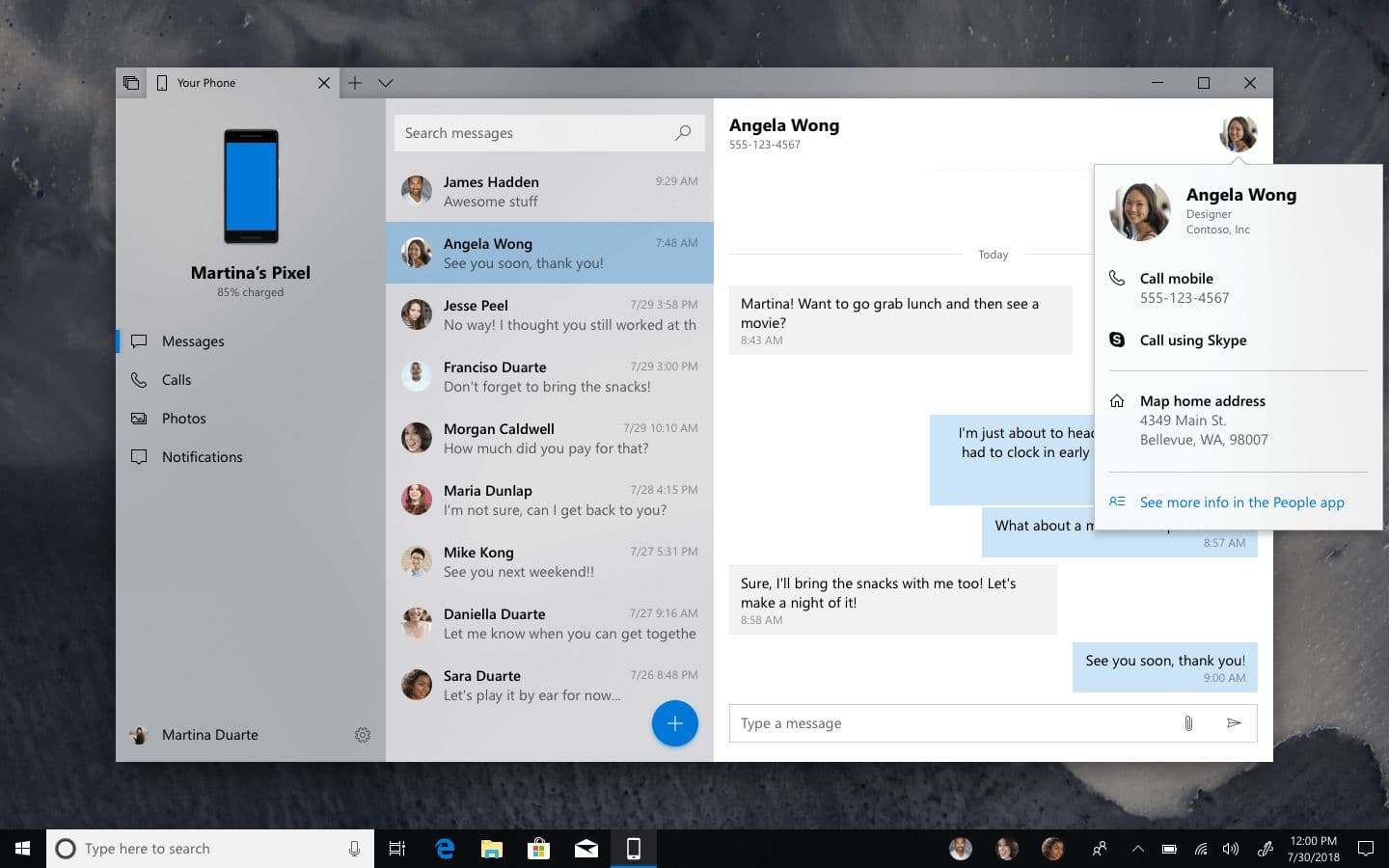
The one new piece is a popover on the contact avatar: clear identity, plus the actions that follow naturally from being mid-conversation including starting a call, opening Skype, sending an email, mapping an address. The contact name/avatar is the obvious thing to interact with when the user wants to do something about the person rather than something in the thread, and the popover puts those actions one tap away.
A popover surfacing contact actions during a conversation.
MyPeople
MyPeople launched with the Fall Creators Update but has struggled to find a use case. It's a beautiful idea: your closest contacts pinned to the taskbar as a persistent surface. But app support is the limiting factor. Only a small set of apps integrate, so most contact pins reduce to launchers for one or two services rather than a genuine cross-app presence.
That's where Your Phone fits.
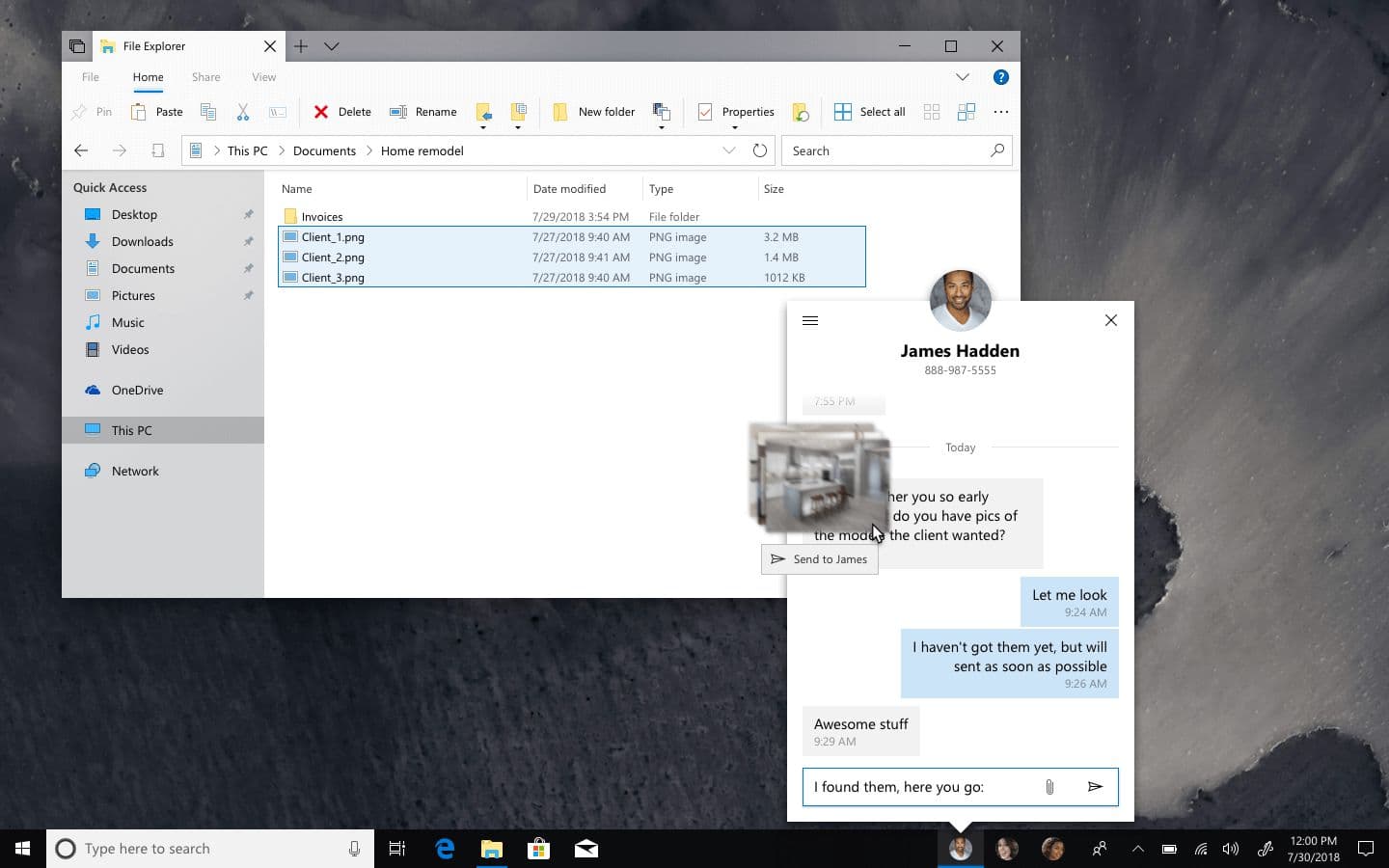
A MyPeople flyout with an ongoing message thread; images are being dragged in from File Explorer.
The MyPeople flyout becomes the thread with that contact, anchored to the taskbar wherever the user is. Drag-and-drop into the thread sends the attachment. And because the desktop knows what it's looking at, dragging images can trigger a OneDrive upload-and-link rather than a raw MMS send (preserving the quality the carrier protocol would otherwise compress away).
This is the use case MyPeople was waiting for. The feature isn't broken; it just needed a reason to exist beyond launching other apps.
Calls
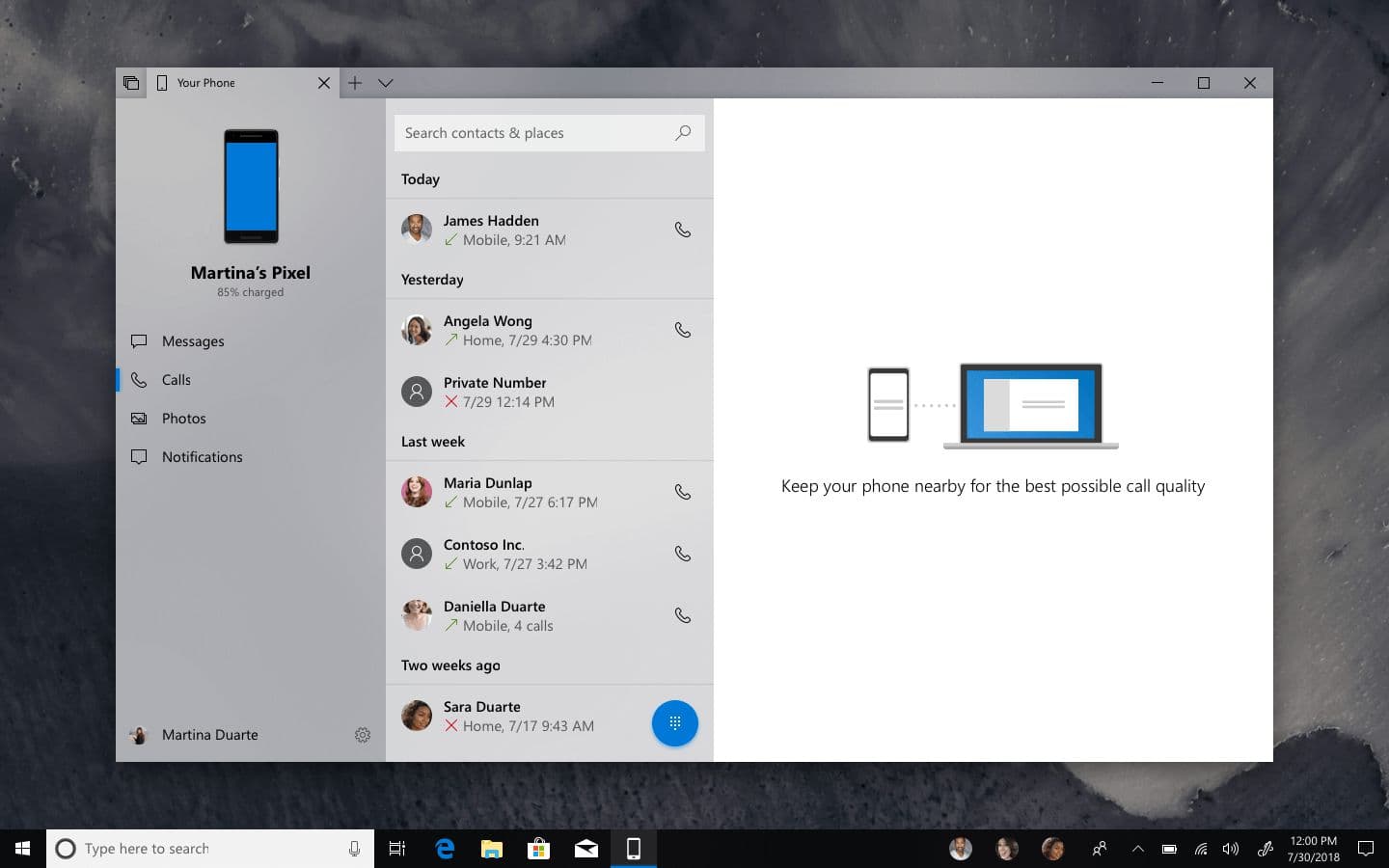
Calling is the next obvious feature for Your Phone, but how it gets there matters. A simple port could mirror the phone's dialer onto the PC. It's useful, but maybe no better than reaching for the phone itself.
Recent calls from the user’s Android phone.
The recents view is the predictable starting point: outgoing, incoming, missed, with a one-tap callback. Worth doing, but not the interesting part.
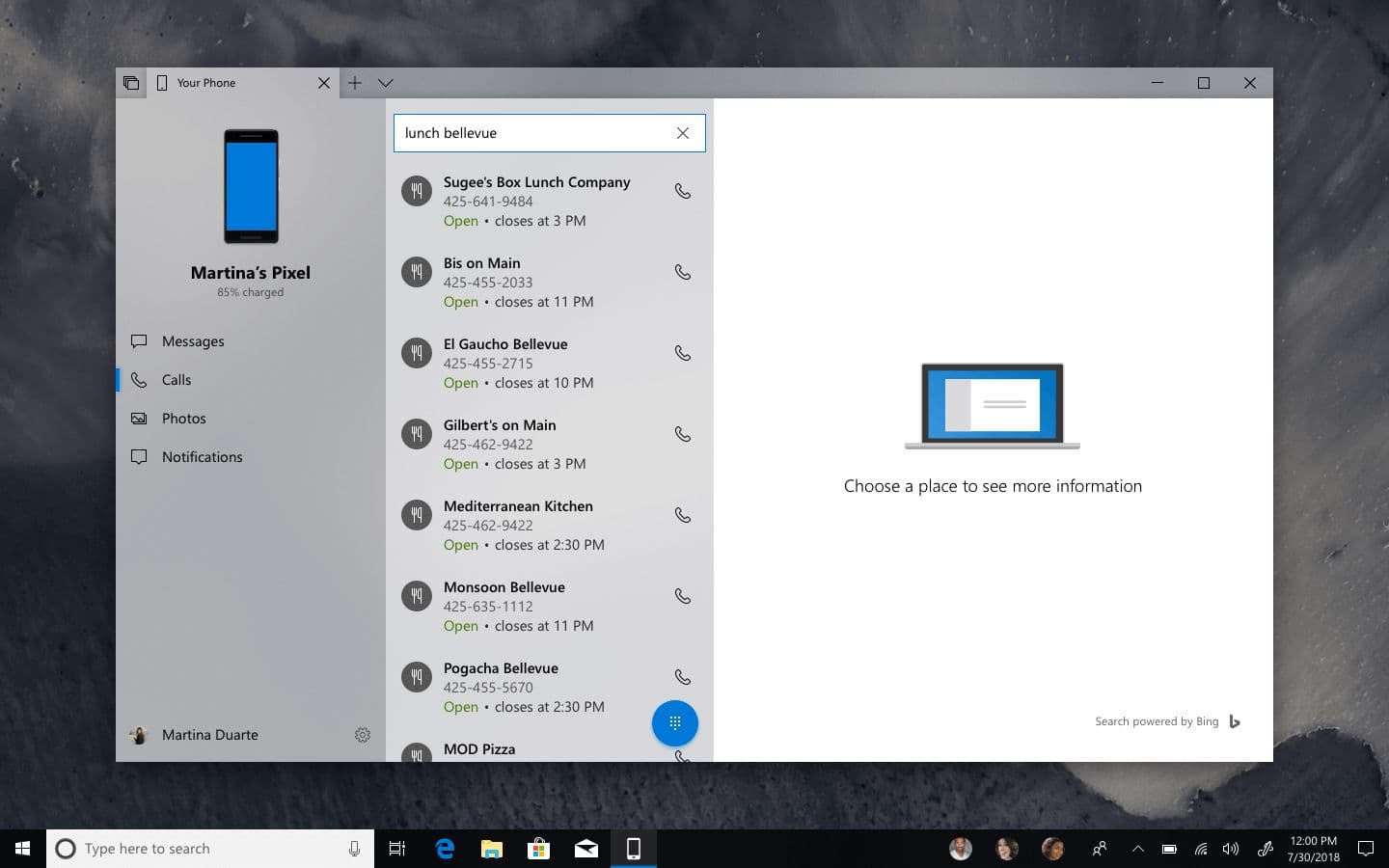
Bing-powered search surfacing local businesses for lunch in Bellevue.
The interesting part is search. The user is already at the PC. Picking up the phone to find a restaurant means switching contexts: putting down what they were doing, unlocking the phone, typing on a smaller keyboard. With search inside Your Phone, the same query that surfaces "lunch in Bellevue" as a web result returns a list of restaurants the user can call without leaving the desk. This is what makes Your Phone more than a mirror: the cross-device experience reaches into the surface the user is already working on.
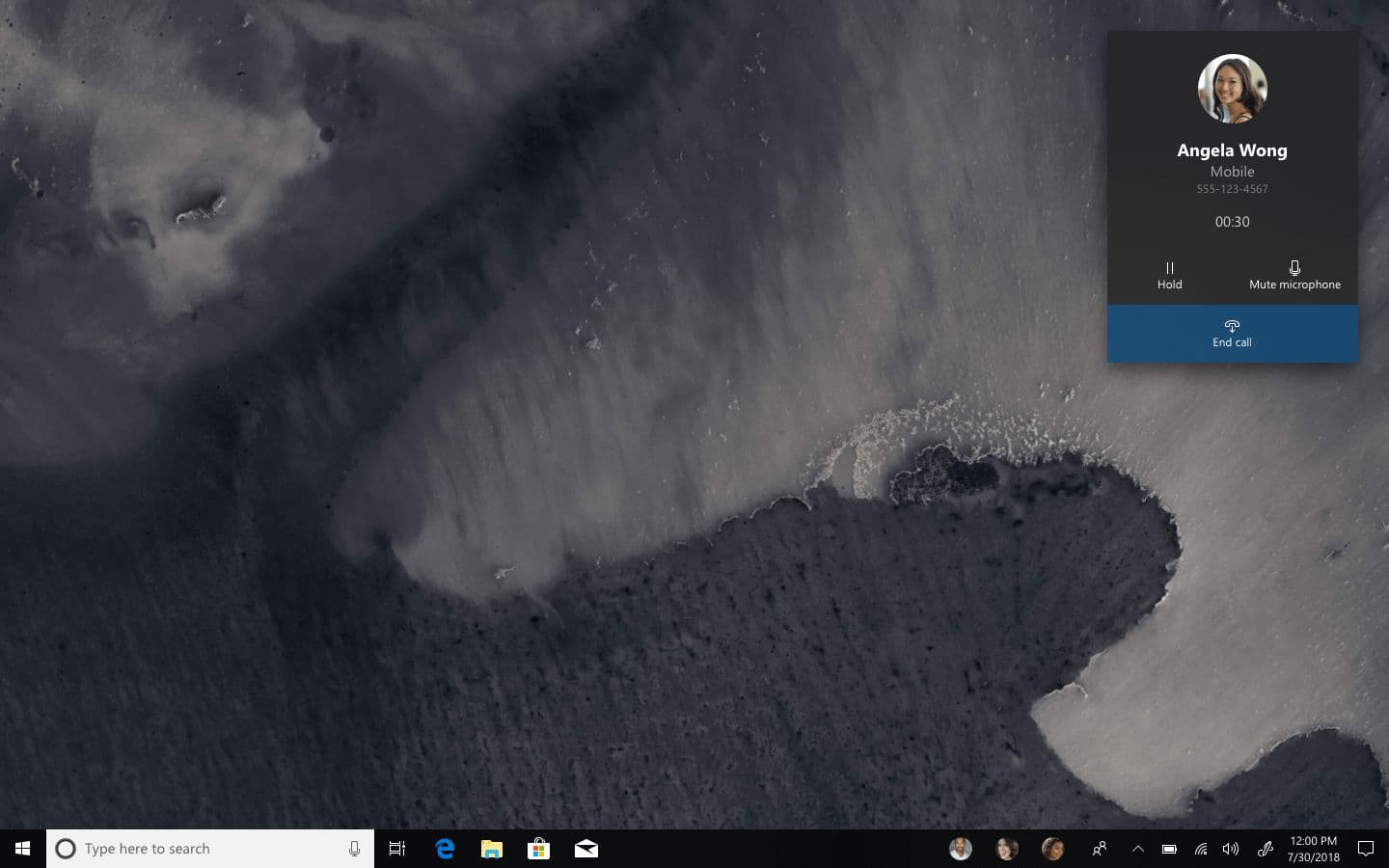
An in-progress call in a CompactOverlay window.
Active calls live in a Compact Overlay window: small, persistent, with the essentials (hold, mute, hang up) one click away. Incoming calls surface as standard Windows notifications.
Inking
Pen input has become a real surface in Windows over the last few releases. The October 2018 update introduces Snip & Sketch and a refreshed Sticky Notes; the platform is leaning into "Creators" as a positioning point. Your Phone should sit inside that pipeline rather than next to it.
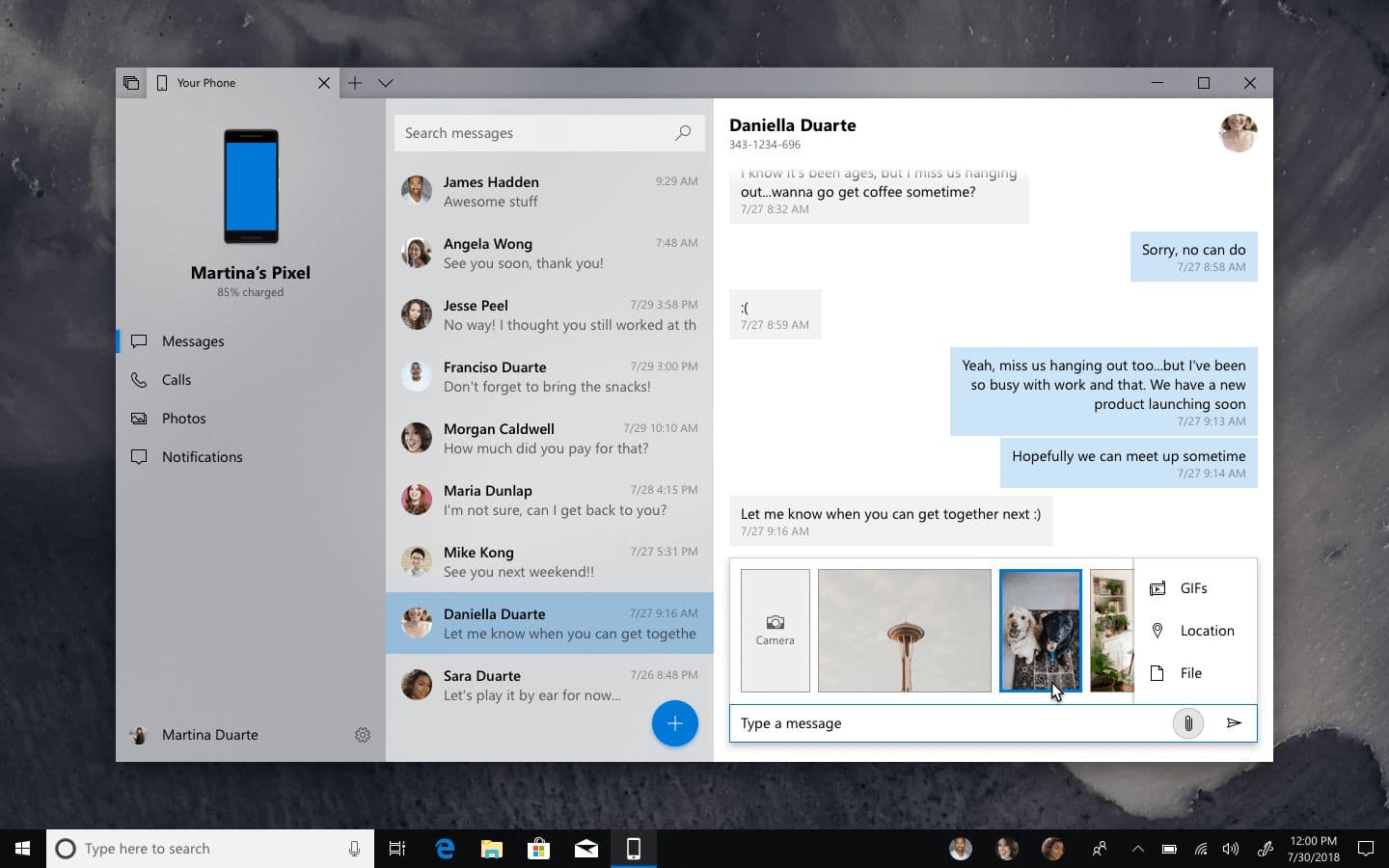
The attachment panel showing recent photos from the user’s phone and PC.
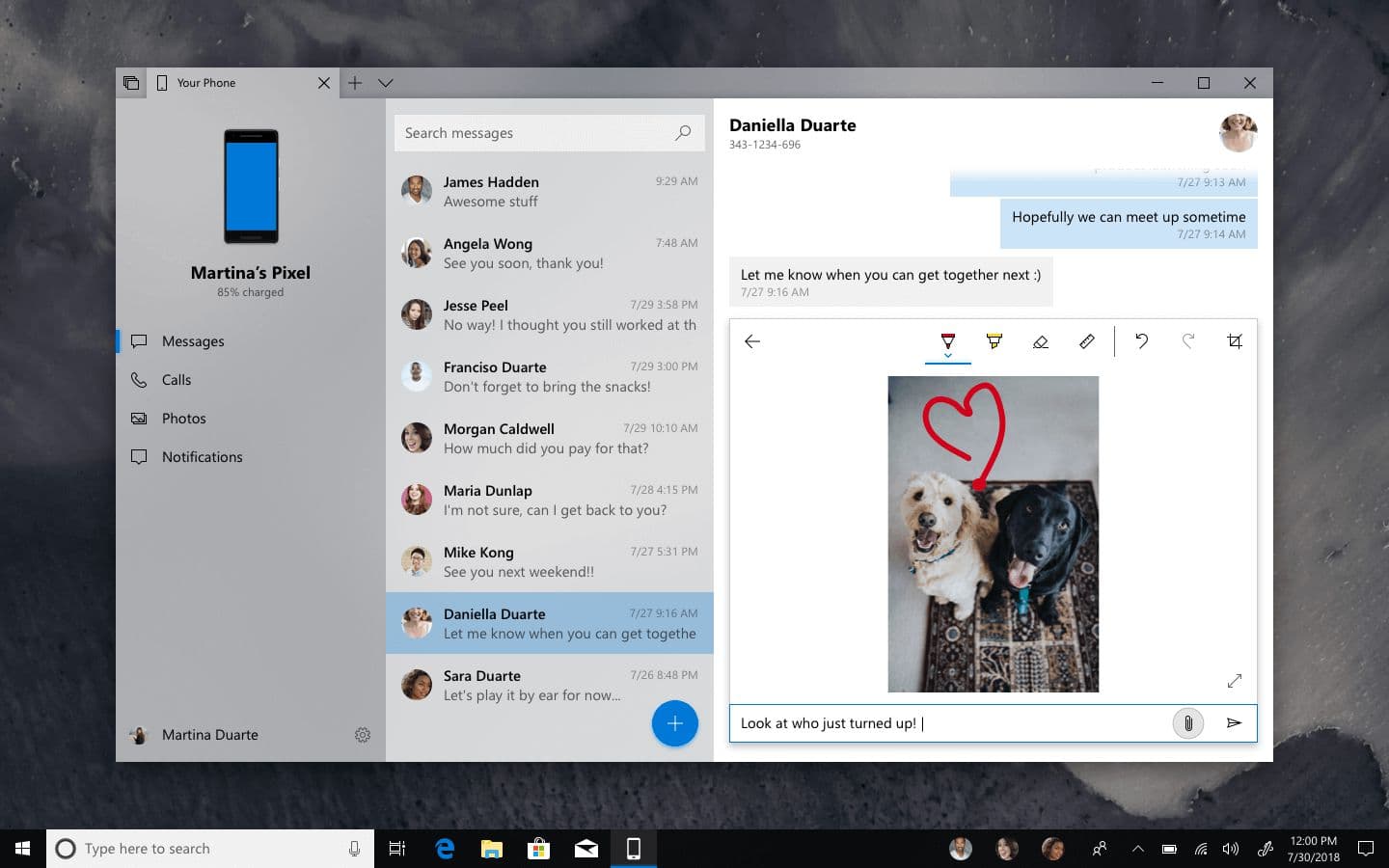
The flow: pick a photo from a unified list of recent images (the phone's camera roll plus the PC's pictures folder are treated as one source), open it in a larger viewer, mark it up with the full Windows Ink toolset, then send.
The attachment markup editor with Windows Ink tools.
The inked image sent to the recipient.
The point isn't the markup itself. Loads of messaging apps across platforms have some version of that. The point is that Your Phone uses the Windows Ink toolset, with Ink Replay on the receiving end, because the PC is the surface where that toolset already lives.
2018
Podcasts app concept
A Fluent-native first-party podcasts app for Windows.
Not affiliated with Microsoft
Podcasts app concept isn't affiliated with Microsoft. Concepts and mockups shown do not represent any product plans past, present, or future.
Windows has consumer ambitions, but its first-party app shelf has a few holes that other platforms quietly filled years ago. Podcasts is one of them. There are good third-party clients but no first-party experience that feels of a piece with the rest of the OS, and no clear default for the user who's just bought a Surface and wants to subscribe to a show.
This concept designs that app: Fluent-native, audio and video in one place, integrated with the Windows surfaces a user already knows.
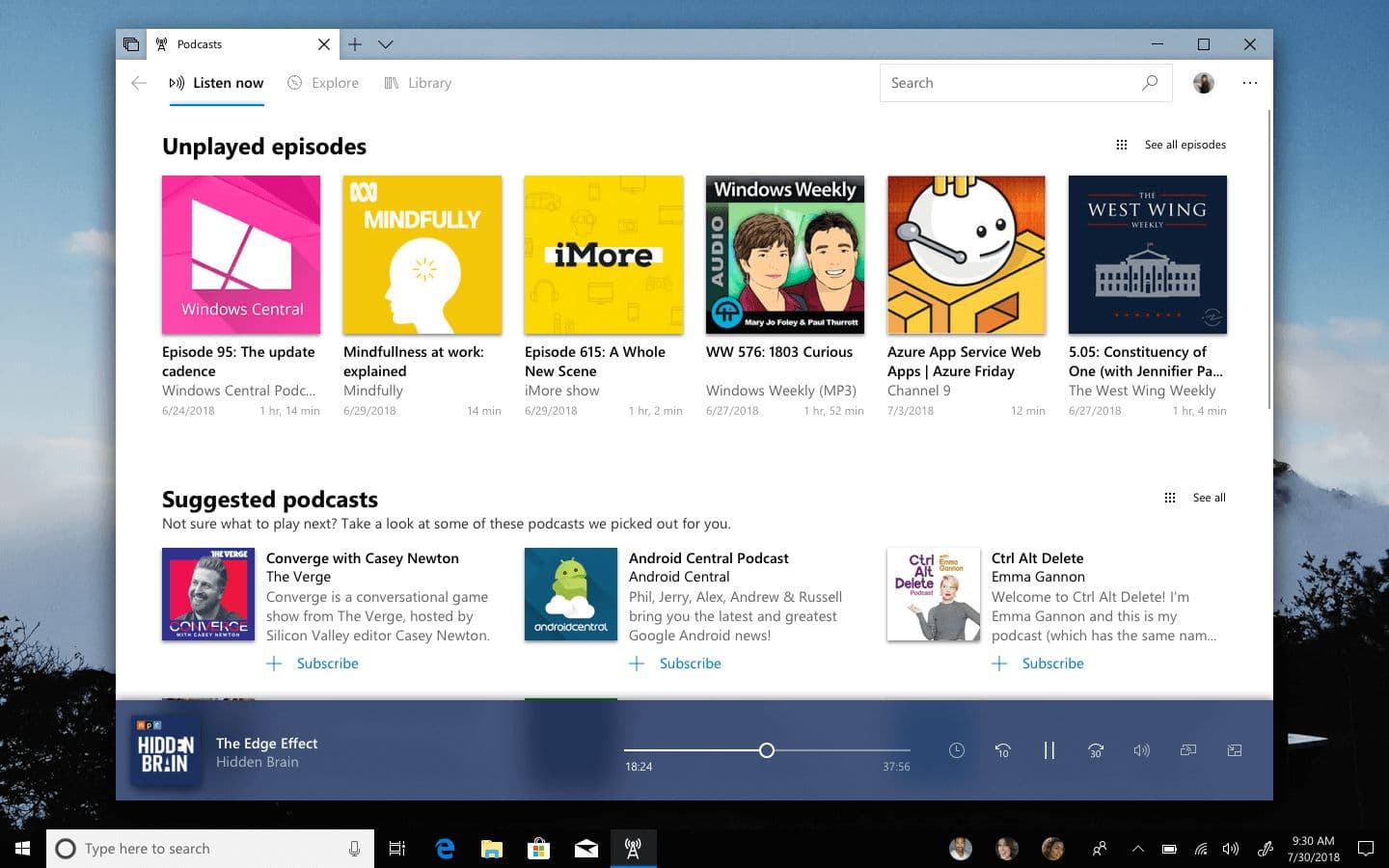
Listen now
Listen now is the entry point. Episodes the user hasn't played yet from the shows they subscribe to, followed by suggestions of new podcasts they might enjoy.
Listen now, showing unplayed episodes and suggested podcasts.
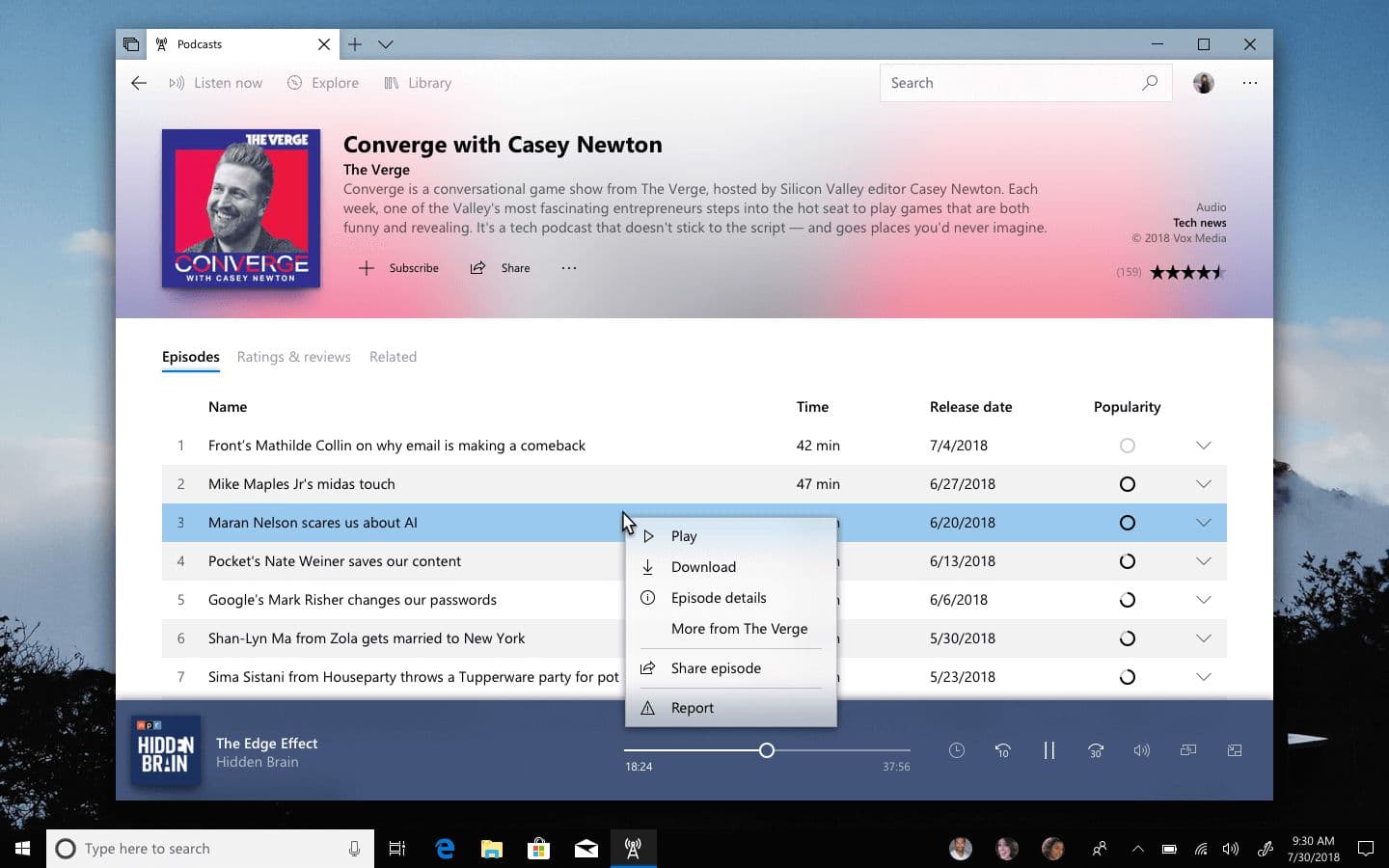
Tapping a podcast opens its info page; tapping an episode plays it; right-clicking an episode reveals the full set of actions a user might want: download for offline listening, share, view details, or report. Putting those additional options behind a context menu rather than visible chrome keeps the surface quiet for the 90% case (just play it) without hiding the 10% case from the users who want it.
A podcast info page with the episode context menu open.
Search
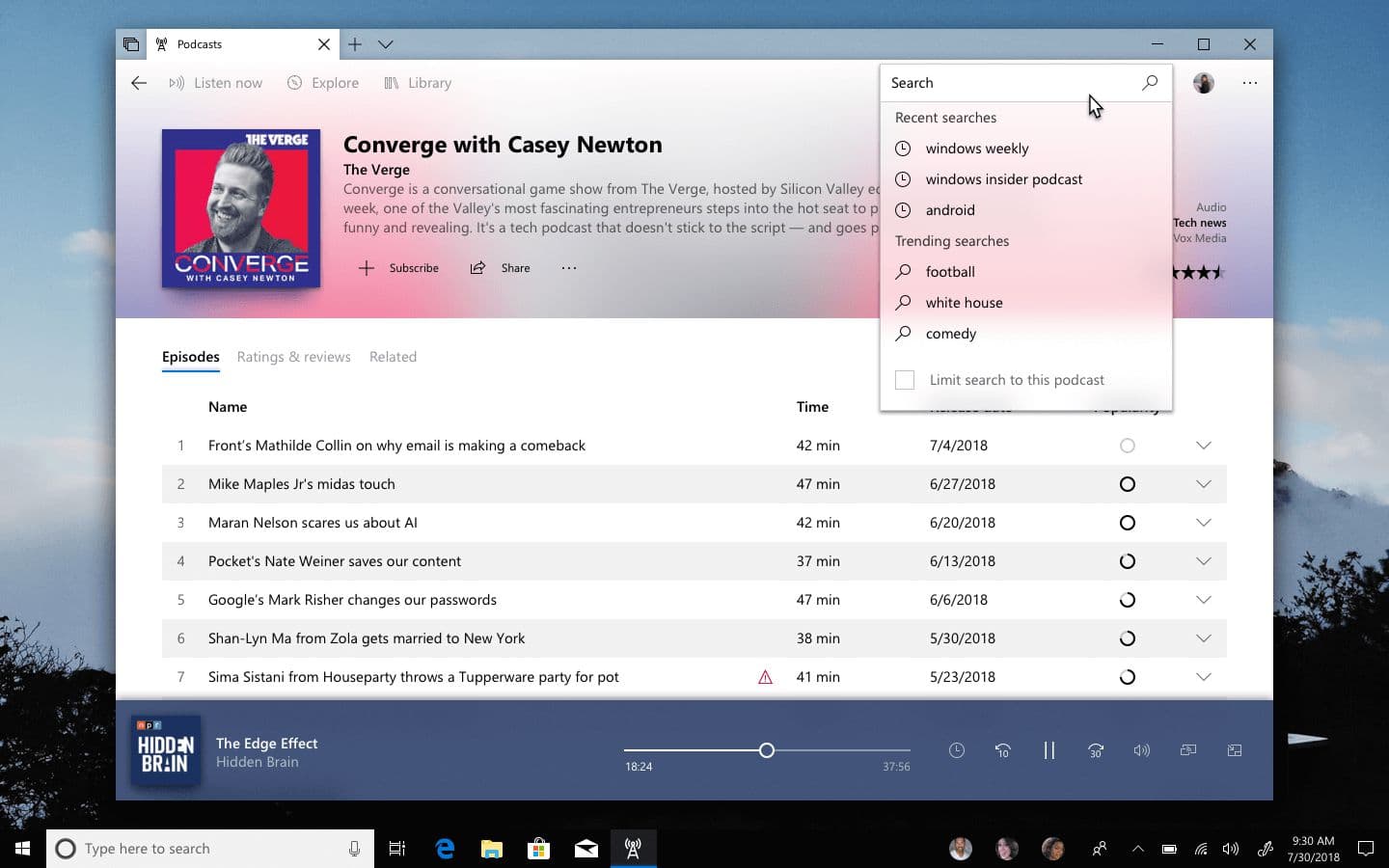
Search is global by default. Just type a query and the catalog responds. Recent searches surface first, and trending searches sit below them, which gives new users a path into the app without needing to already know what to look for.
Recent searches sit above trending searches.
One small detail: on certain pages, search can be scoped to the current context. On a podcast info page, that means only the episodes of that podcast get searched. The default is global because that's what users expect; the scoped option exists because sometimes the user actually wants to find a specific episode.
Explore
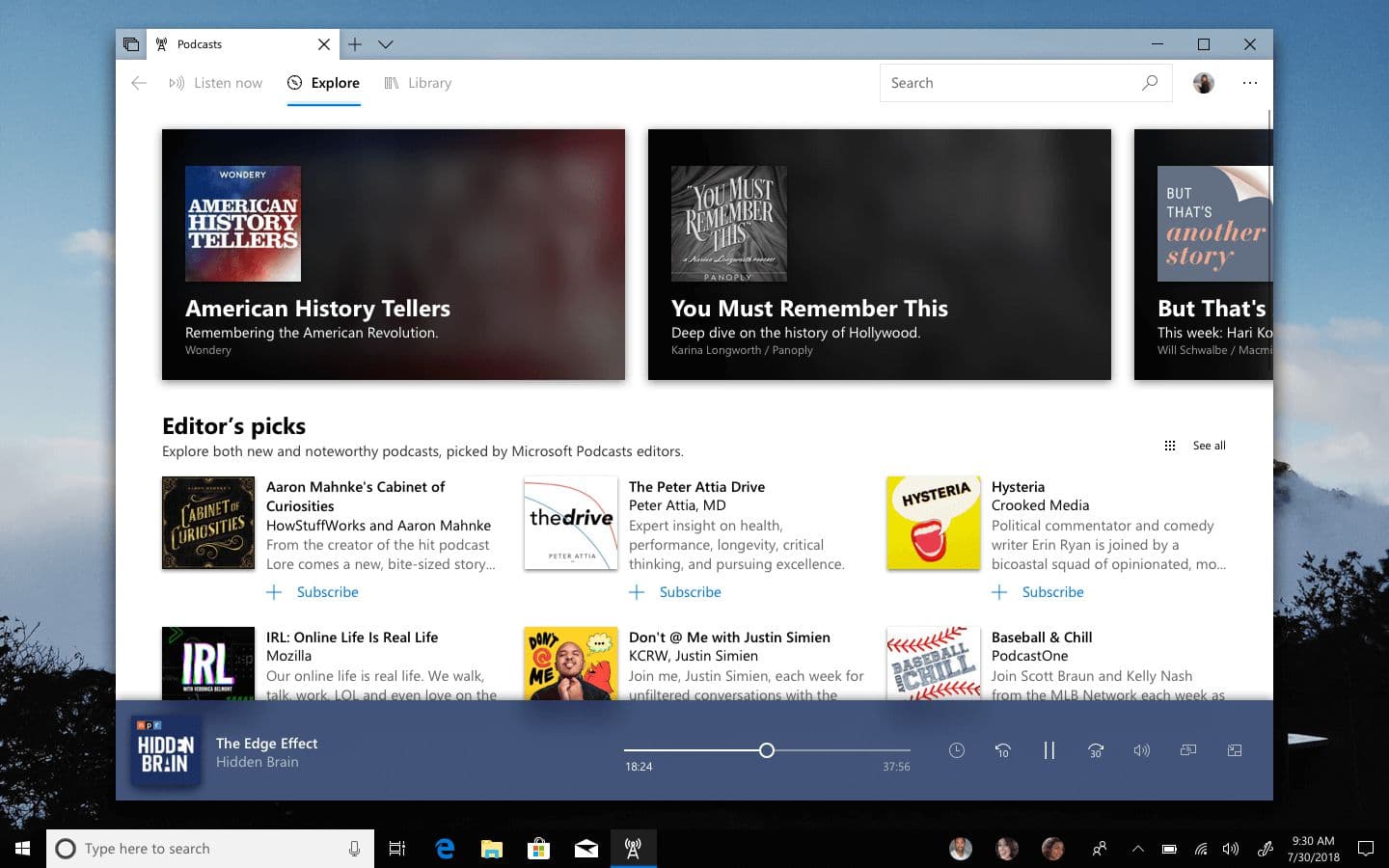
Explore is for discovery. Curated editorial picks alongside algorithmic suggestions based on listening history.
The Explore tab with featured podcasts and editor picks.
Browsing by publisher or by category sits below the featured row, for users who already know roughly what they're looking for.
Video
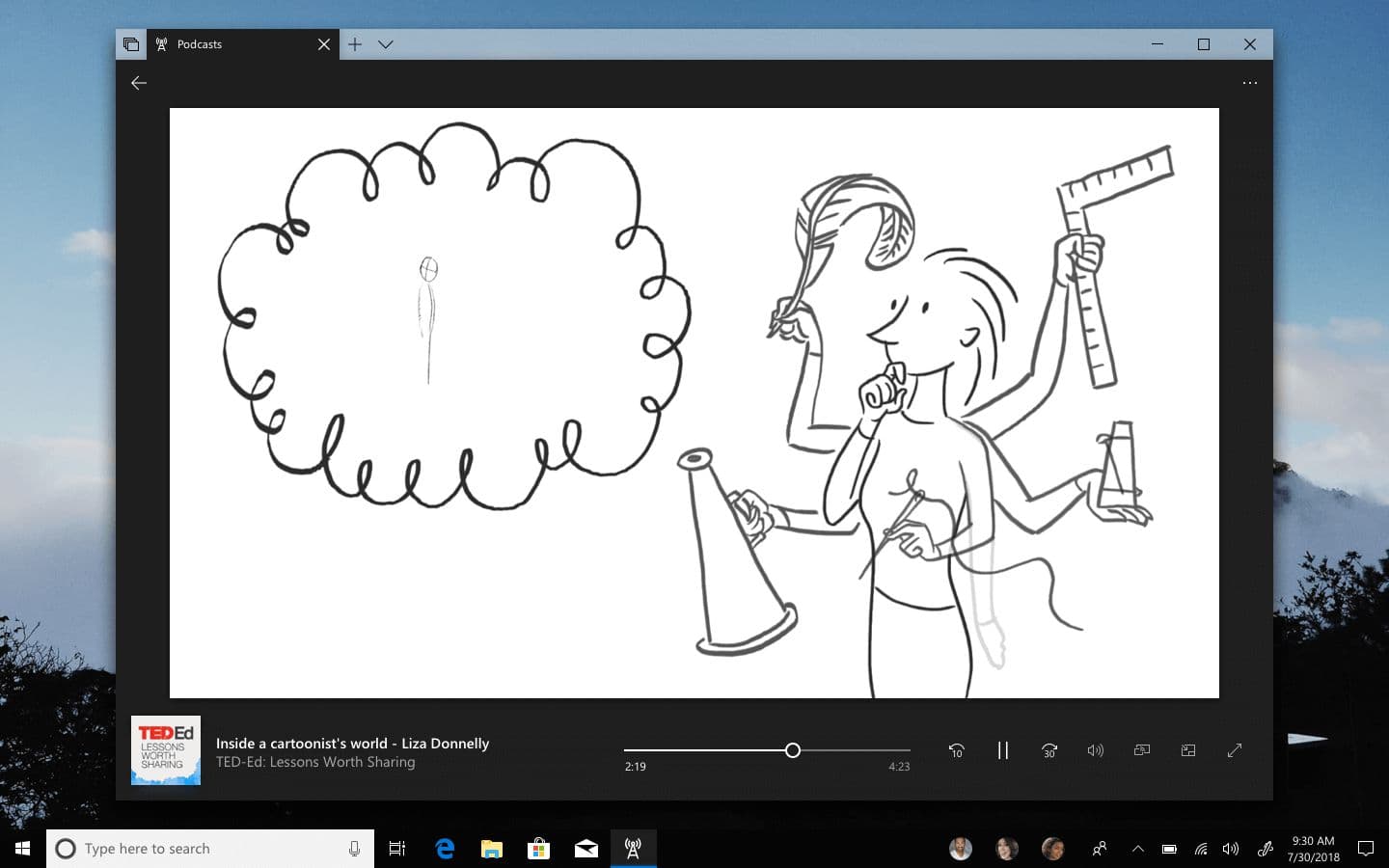
Video podcasts aren't a tangent. They're a category that's growing, and any app that only handles audio is asking users to keep a second app open to cover the rest.
A video podcast playing, with a darker chrome than the rest of the app.
The video player uses a darker chrome to push focus to the content, but the navigation and library structure are the same as for audio. Subscribing, downloading, and history all behave identically. The point of a first-party app is that it's the single place. Splitting audio and video into separate surfaces would undermine that.
System integration
Podcasts live in the background of a user's day. They're playing while the user is doing something else.
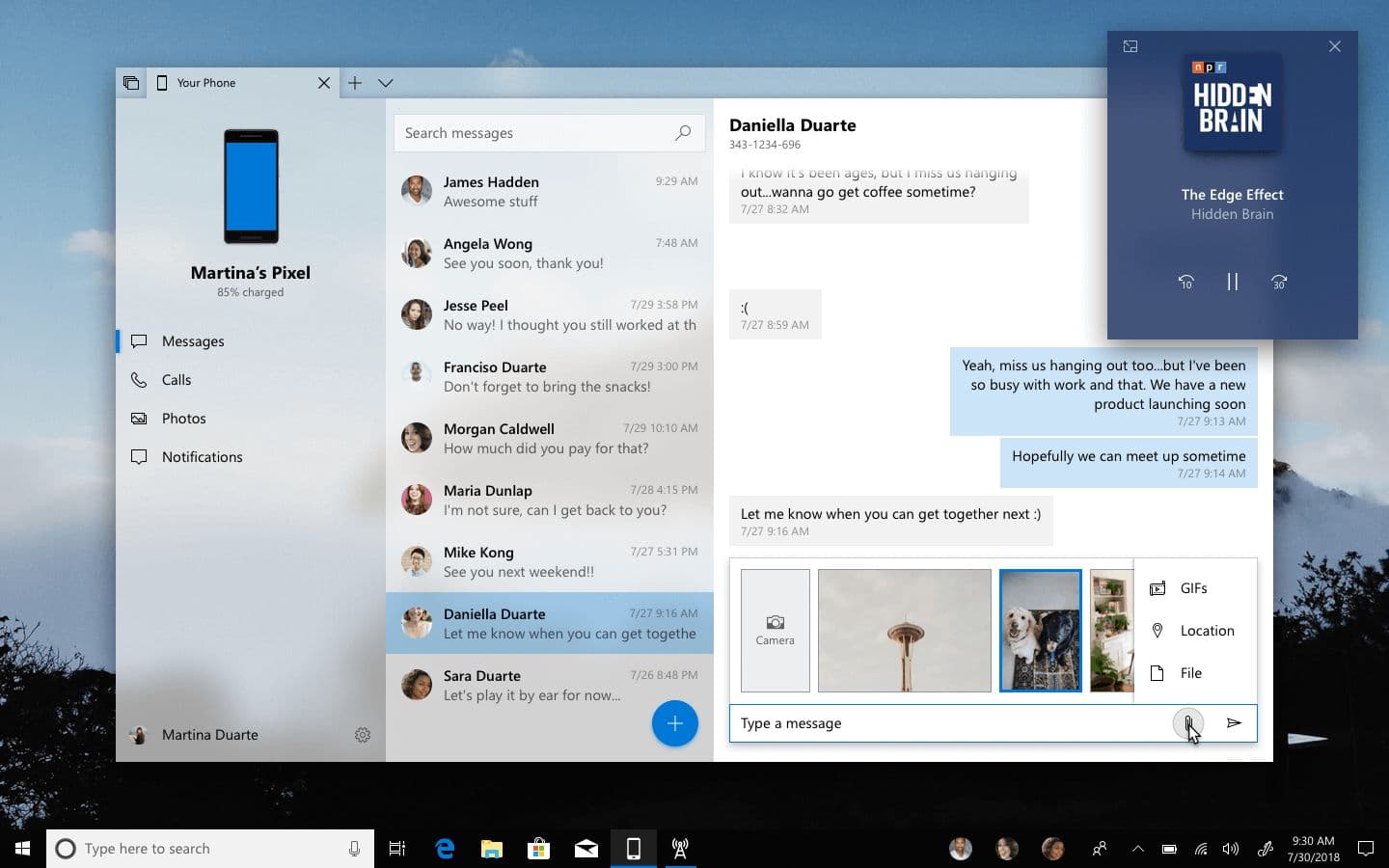
The Podcasts app shrunk into the top-right corner over a Your Phone window.
Both audio and video can shrink into a Compact Overlay, Windows 10's persistent floating window pattern, keeping playback controls one click away without occupying the primary workspace. The overlay uses Acrylic material tinted by the artwork of whatever's playing, so the chrome reflects the content without needing extra labeling.
Features like this are how the app earns its position as the first-party default: integrating with the surfaces familiar to Windows users, rather than living as a standalone island the way most third-party apps do.
2018
Redesigning navigation for Windows 10
Designing the navigation and management patterns that make Sets a system.
Not affiliated with Microsoft
Redesigning navigation for Windows 10 isn't affiliated with Microsoft. Concepts and mockups shown do not represent any product plans past, present, or future.
Sets is the most significant shell and app change Microsoft has shipped to Windows in years, but the navigation patterns inside Windows apps weren't designed for it. NavigationView elements fight tab strips for the top-left corner. App chrome breaks at the tab boundary, leaving a visible hard stop between system and app. And there are basic mechanics in Sets that still need fleshing out further.
This piece is an exploration of the patterns that would make Sets feel like a system rather than a feature bolted on top of the existing shell.
In-app navigation
The NavigationView pattern that ships with most current UWP apps puts primary nav on the left as a vertical rail. That worked when apps owned the full window. With Sets, it creates a conflict: the app's back button can't live in the title bar (Sets uses that space for tabs), and the left rail squashes against the tab strip's left edge.
Moving in-app navigation to the top resolves both. Primary destinations sit in a horizontal row below the tab strip — 15pt Segoe UI, 16px icons offset 8px left of each label, with a back button to the far left when there's history to navigate.
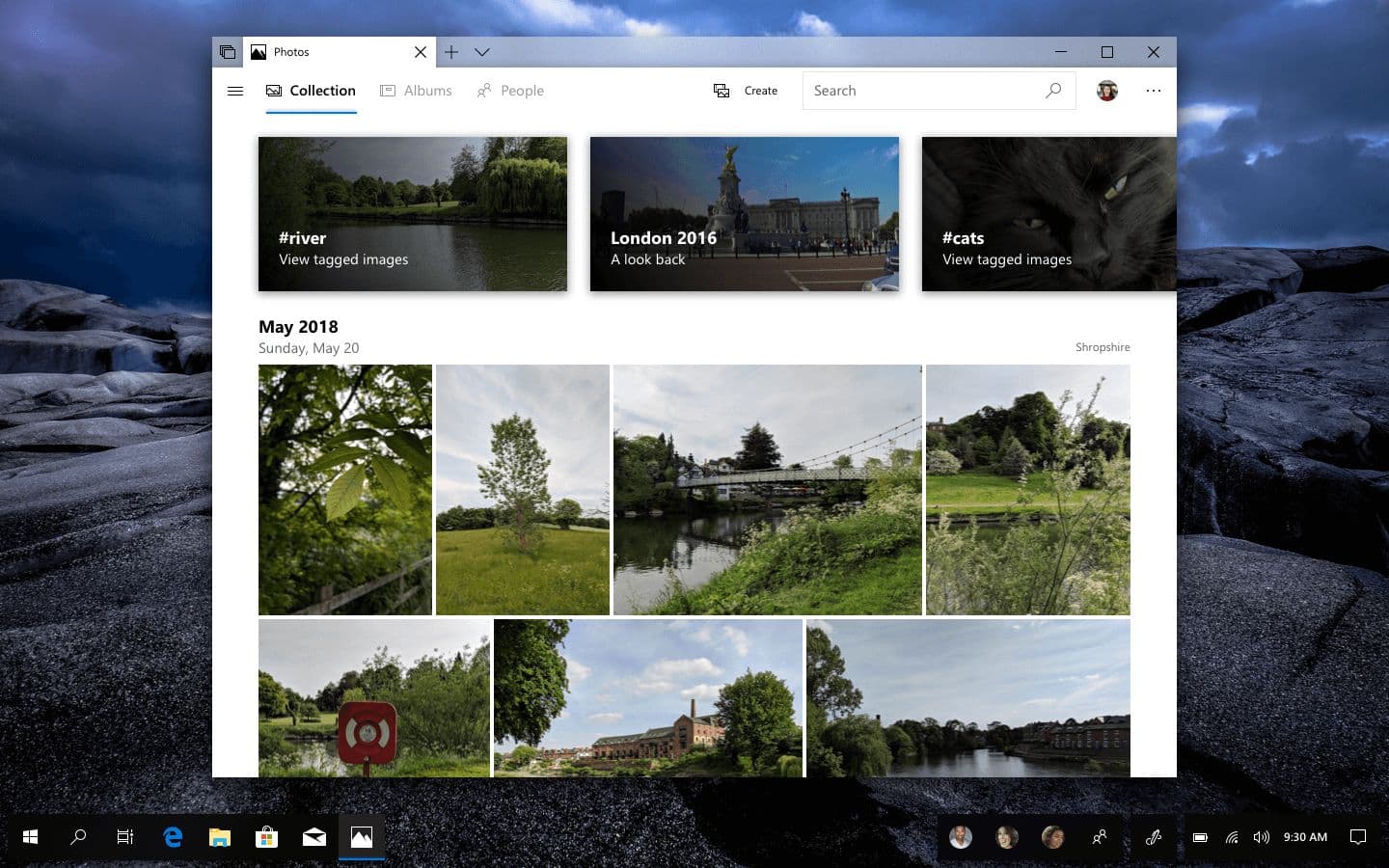
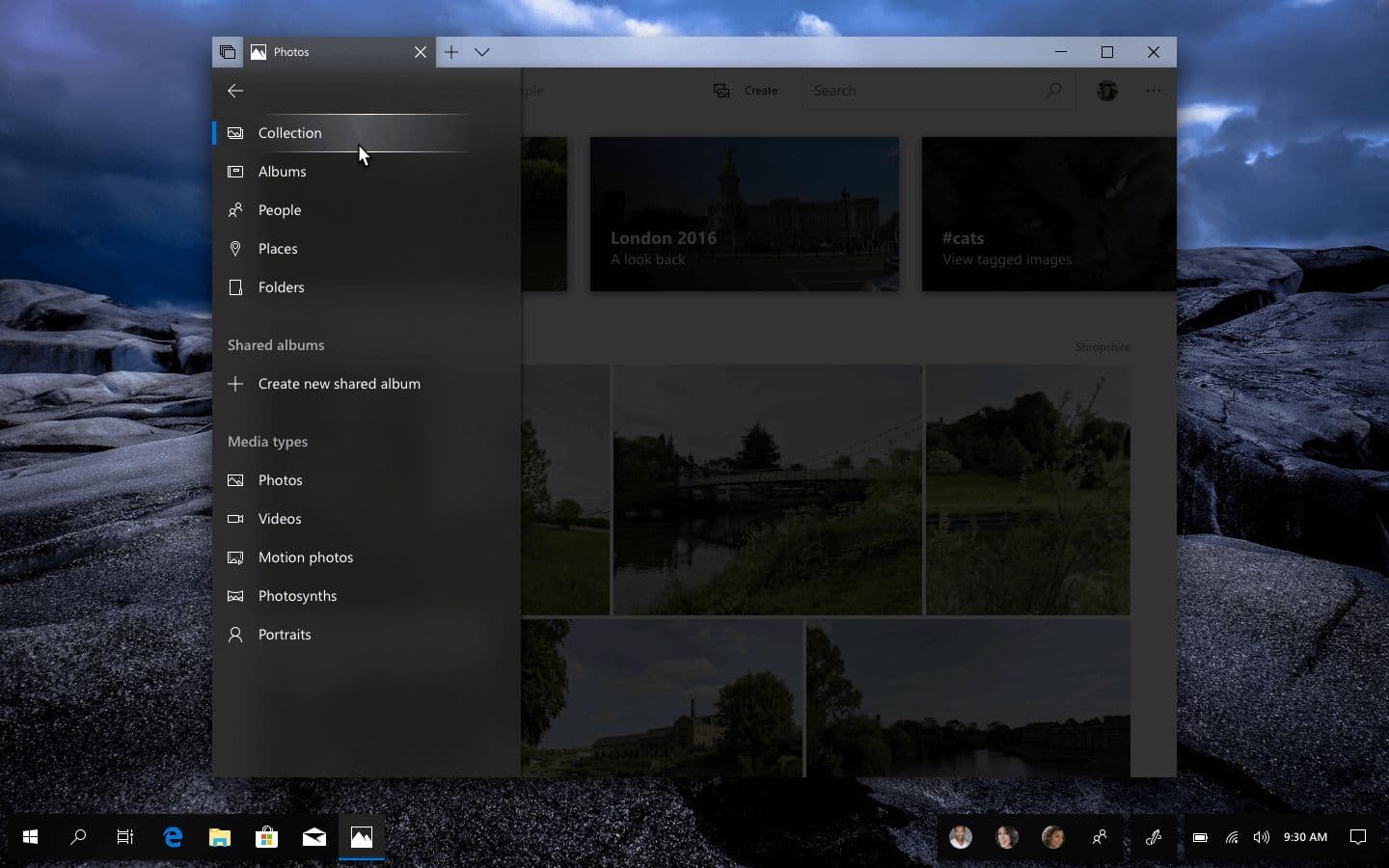
Photos with a new top-mounted navigation row.
The Photos app demonstrates the pattern in a content-heavy app. The horizontal nav blends into the page background rather than sitting on a contrasting bar — there's no need for chrome separation when the destinations themselves are clearly labeled. The carousel and date headers below it get reorganized in the same pass for a cleaner overall rhythm.
When the window is narrow enough that the full nav can't fit horizontally, or when there are more destinations than horizontal space permits, a hamburger menu opens the rest in-app.
A hamburger menu in Photos showing additional categories and filters.
Hamburger menus sometimes get treated as a dead pattern in current design discourse, but it's not the pattern that's dead. It's the placement. As primary navigation on phones, the hamburger is awful because it hides the entire app structure behind a single icon. As an overflow surface for an app whose primary nav is already visible above it, it's exactly the right tool: familiar, predictable, and out of the way until needed.
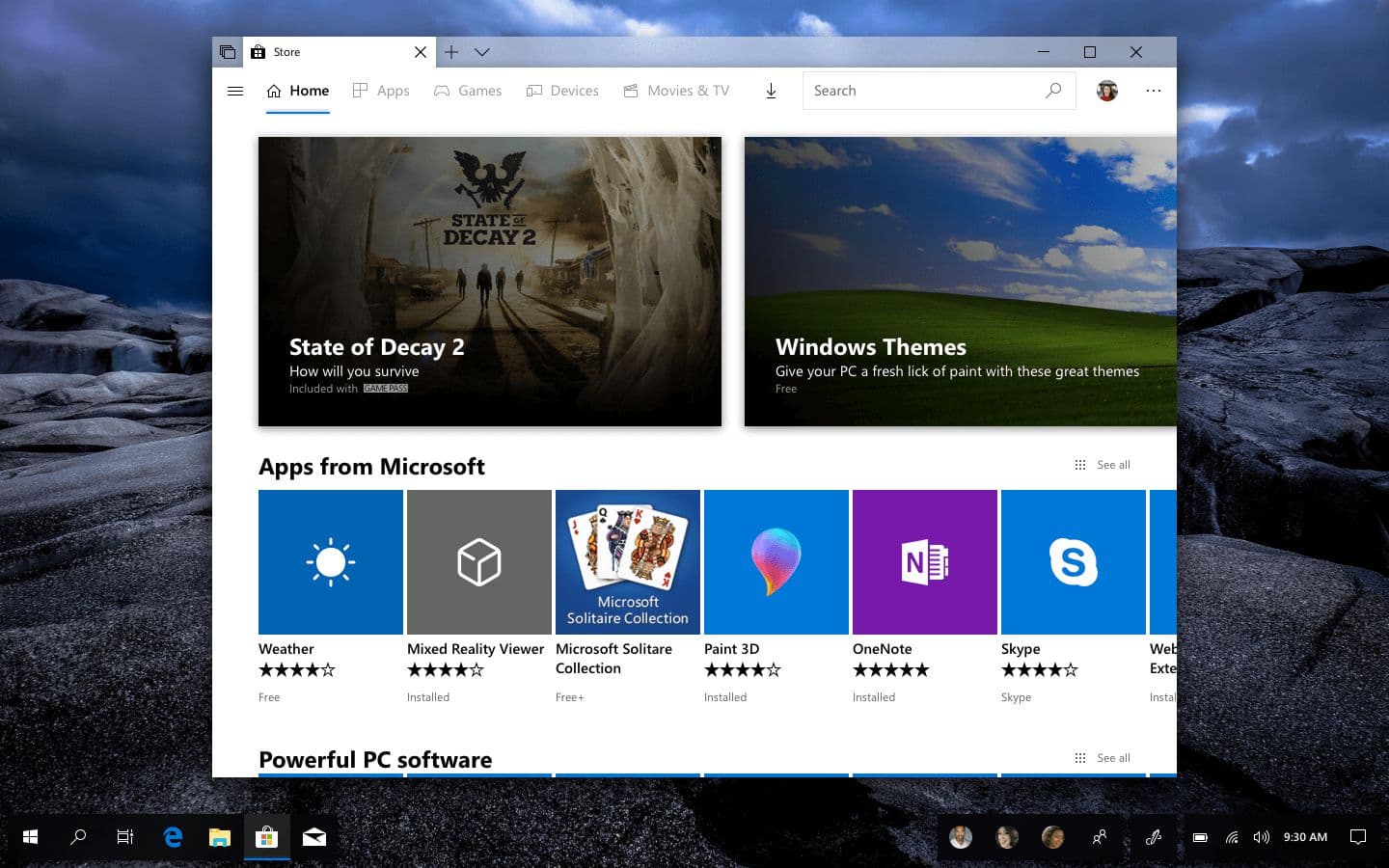
The Microsoft Store with the same nav pattern, tailored to its content.
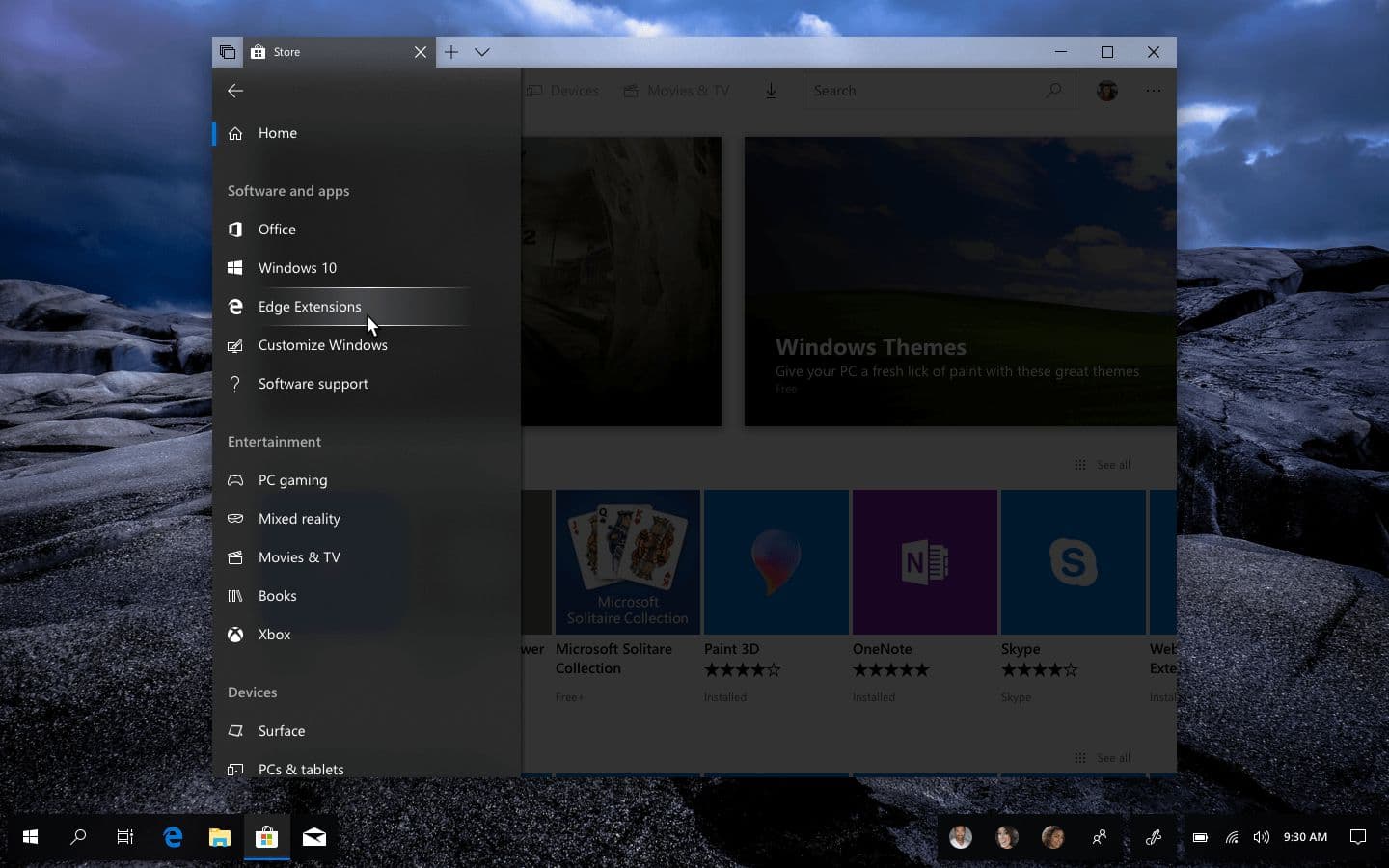
The Microsoft Store applies the same pattern. Featured content sits in a card-based carousel that adapts to category, with the same horizontal nav above and a hamburger for extended filters.
The Store hamburger menu with category filters and content types.
Brand expression
A system pattern is only valuable if third-party apps will actually adopt it. The test is whether a strong brand can pick it up without losing its identity.
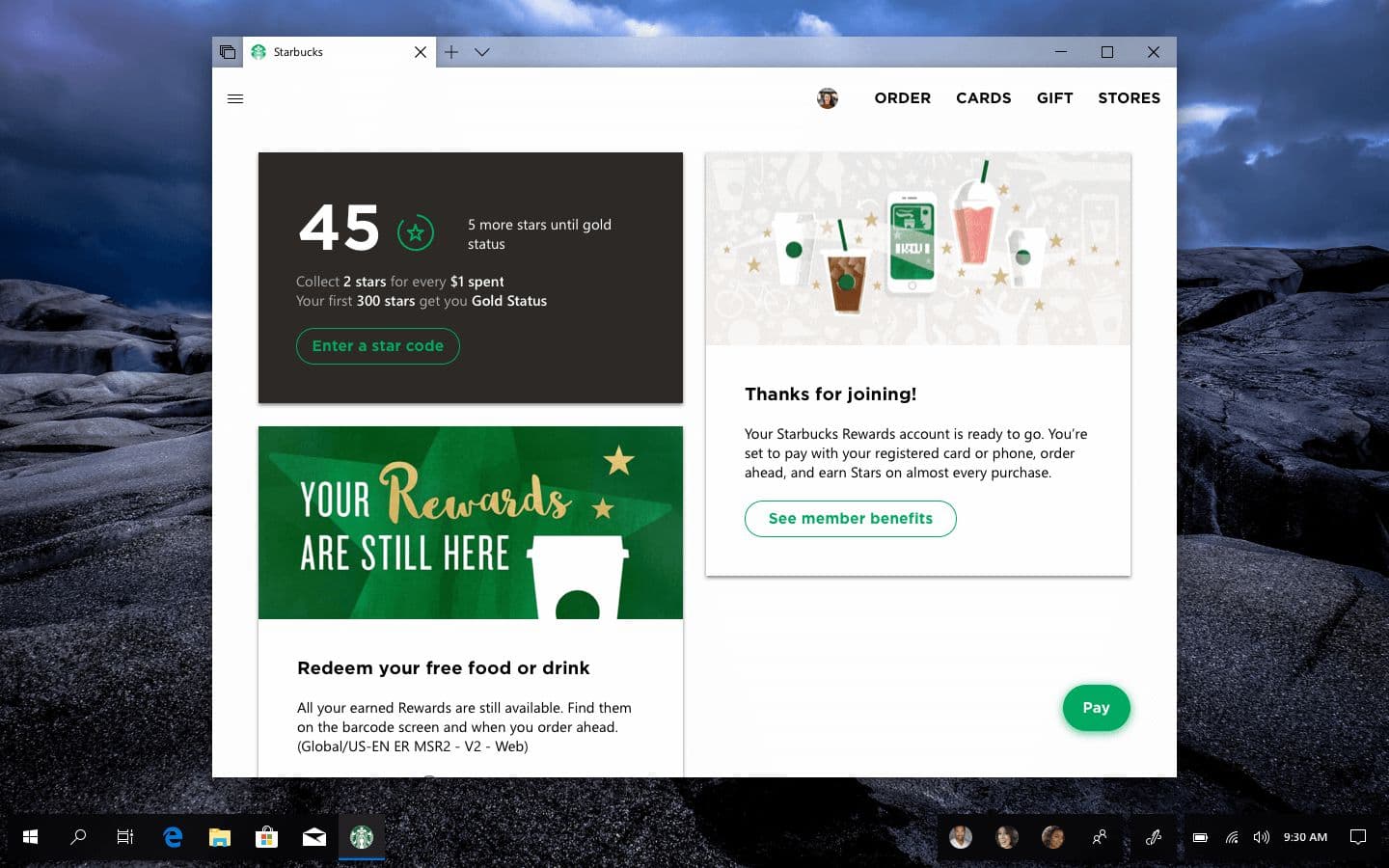
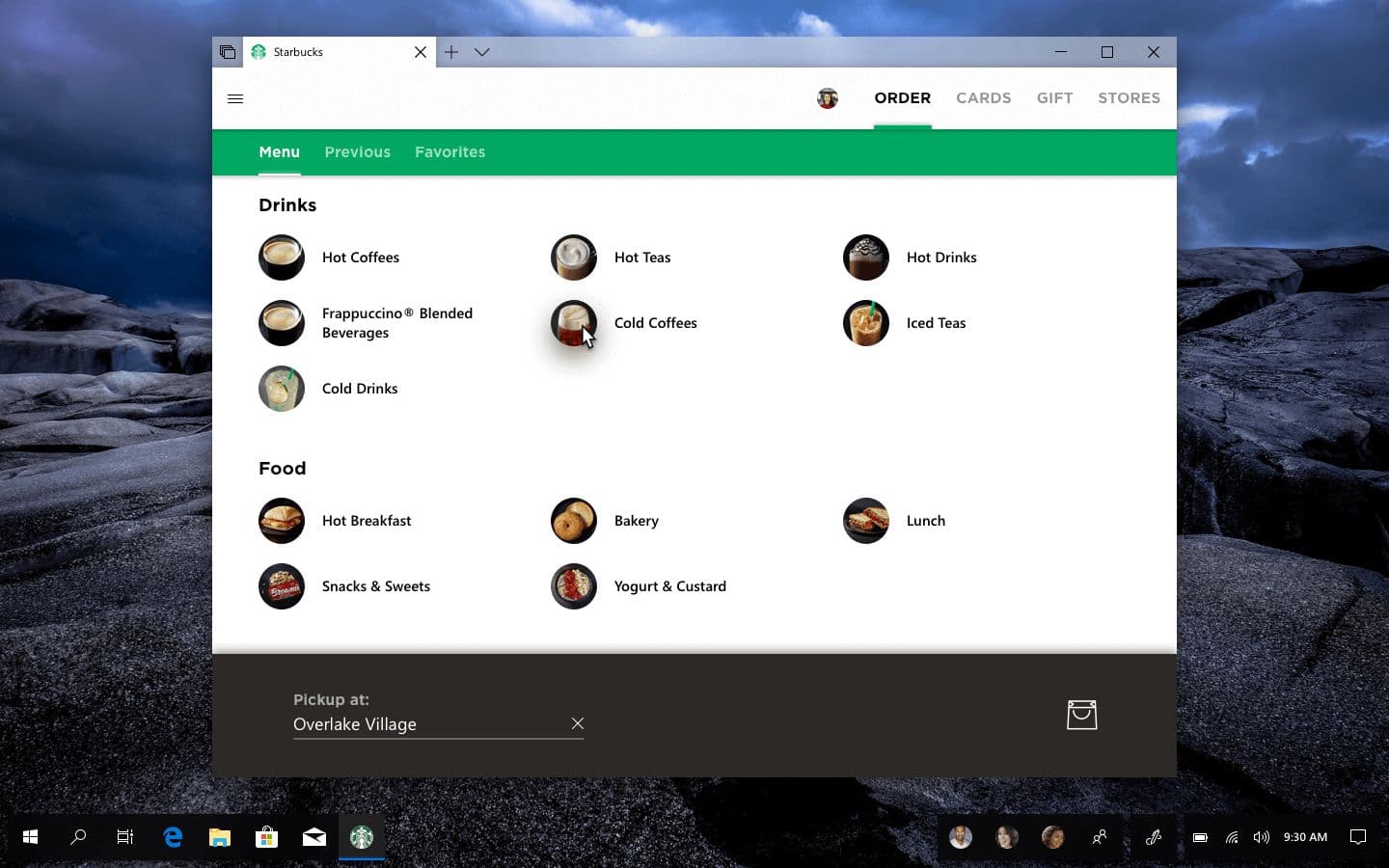
A Starbucks UWP concept using the same nav pattern, adapted to the brand.
Starbucks adapts well. The horizontal nav drops the iconography (the brand's web app doesn't use icons in nav, and forcing them in would feel uncanny), uses the Starbucks corporate font for areas of emphasis while keeping Segoe UI for body content, and renders account info as a card feed of the kind the brand already uses in its mobile app.
The Starbucks ordering page with a secondary horizontal nav below the primary.
The ordering page extends the pattern by adding nested navigation with a secondary horizontal nav below the primary one, separated by shadow and brand color rather than being a sibling. This keeps the structure feeling system-native yet with a visual design that unmistakably belongs to the brand.
The seam between app and Set
A subtler design problem: the visual boundary between an app and the Sets tab above it.
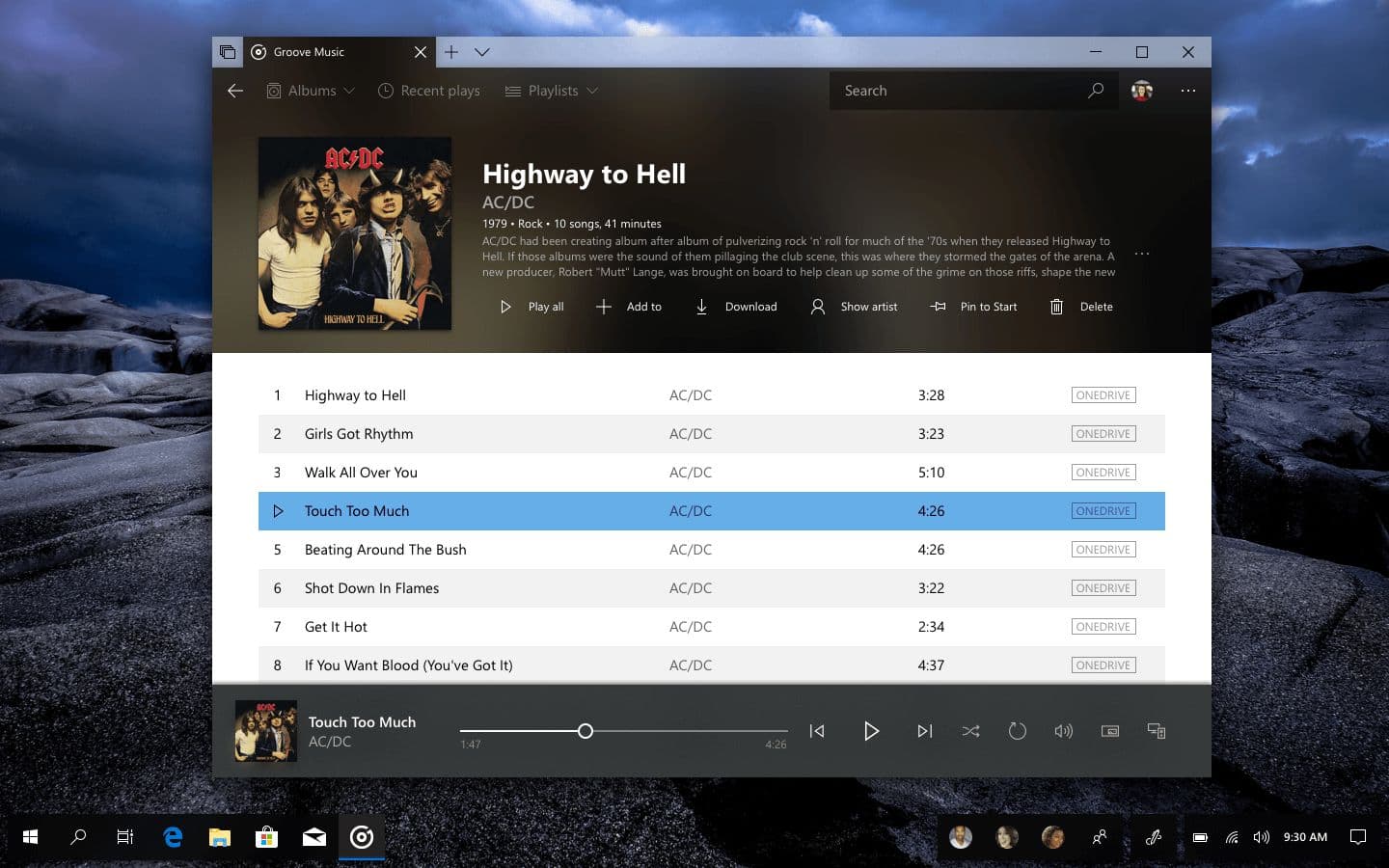
Groove Music’s album art bleeding through the nav and into the Sets tab.
In the default pattern, the tab strip is system chrome with a different material than the app below. That's correct as a default, but it leaves a hard horizontal seam at the tab boundary. The app stops here, the system starts there. For apps whose identity is visual (Groove Music, with its album art as the dominant element of the now-playing surface), that seam interrupts the content.
Letting app imagery bleed through the navigation row and up into the Sets tab itself collapses the seam. The tab still functions as a system control, but its texture comes from the app. Apps that have something worth showing get the full client area; apps that don't fall back to the default treatment.
Working with Sets
The patterns above assume Sets exists as a usable feature. But the actual mechanics of building and modifying a Set are still in flux, and the existing flow (drag a tab from one window into another) is a discovery problem rather than a usability one.
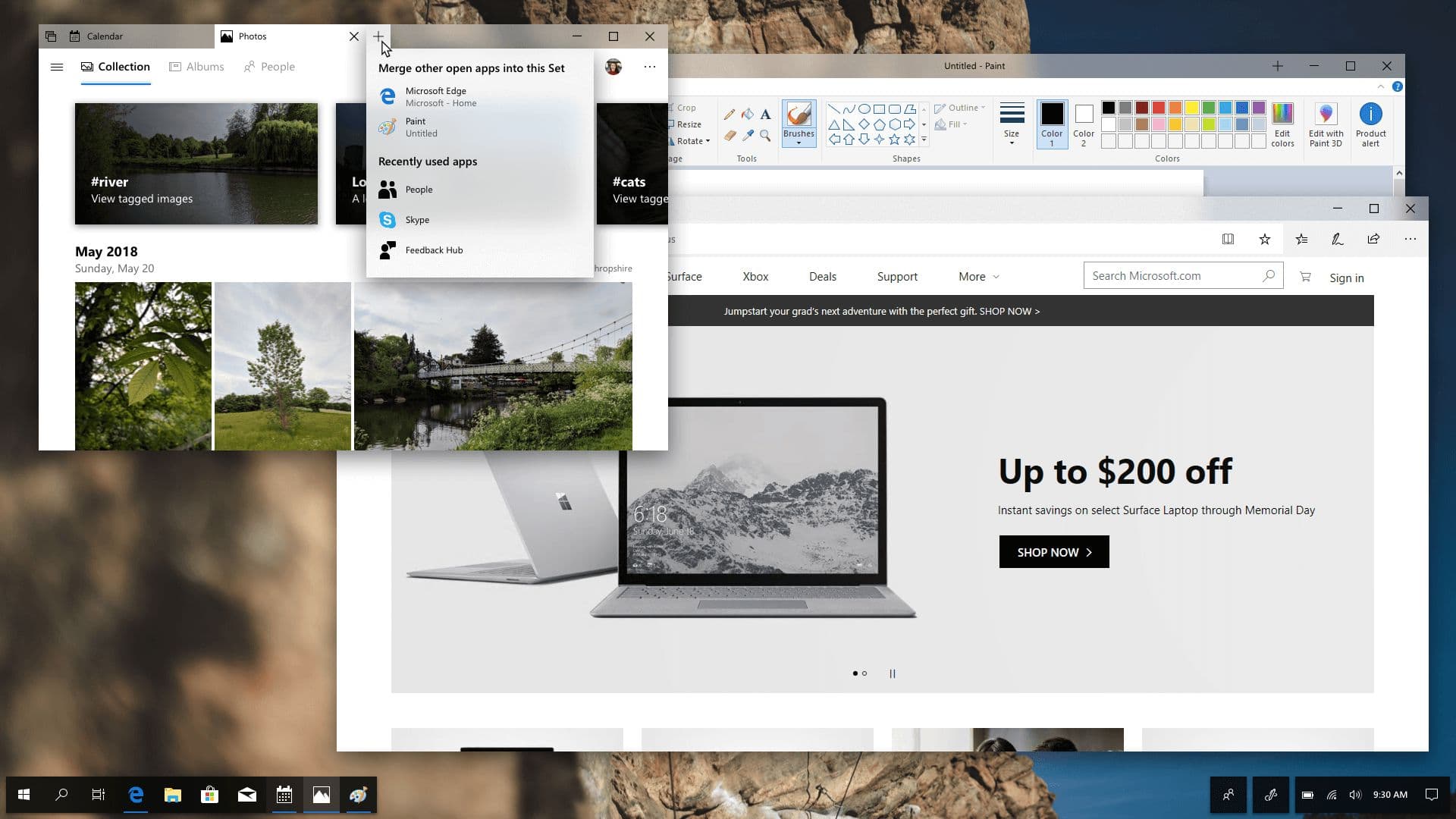
A dropdown next to a new tab button, showing other open apps that can be merged into the current Set.
Hovering or right-clicking the new-tab button surfaces a dropdown of apps that can be added: other open windows that aren't yet part of a Set, plus a few recents the user might want to launch directly into the group. The example shows Paint and Edge as candidates to join an existing Set of Calendar and Photos.
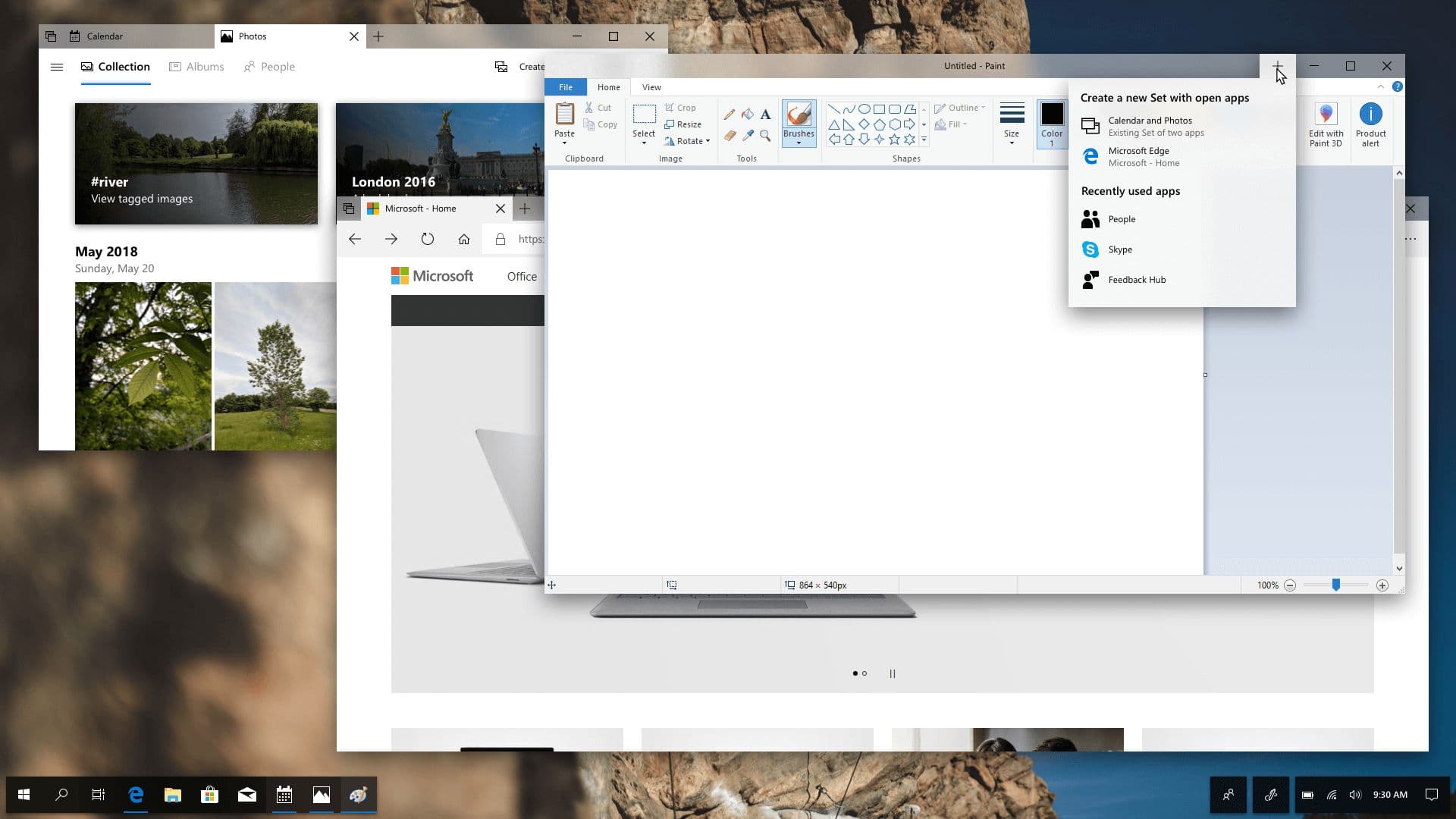
The same dropdown adapted for creating a new Set from existing apps.
The same affordance works in reverse for creating a Set. Hovering the new-tab button of a single-tab window offers the apps that can be merged in to create a group. The same interface, but contextual to whether the user is adding to a Set or creating one.
These are small surfaces, but they're where Sets actually becomes useful. Without them, Sets is a feature only power users will discover. With them, it's the new default way to organize related work on the desktop.
2018
Fluid Desktop
Redefining the Windows desktop experience with a new look, refined apps, and improved Cortana intelligence.